
Let’s be honest: asking customers to guess their size from a few glossy photos is a broken model. Is it any surprise that returns are a constant headache for fashion brands? It’s time to fix the core problem by turning your Shopify store into a try on haul website, capturing the addictive, shareable energy of social media and bringing it right to your product pages.
This guide provides actionable steps to integrate virtual try-on technology, helping you boost conversions, reduce returns, and create a shopping experience that customers will love and share.
The Future of Shopping: Why a Try On Haul Website Wins in 2025
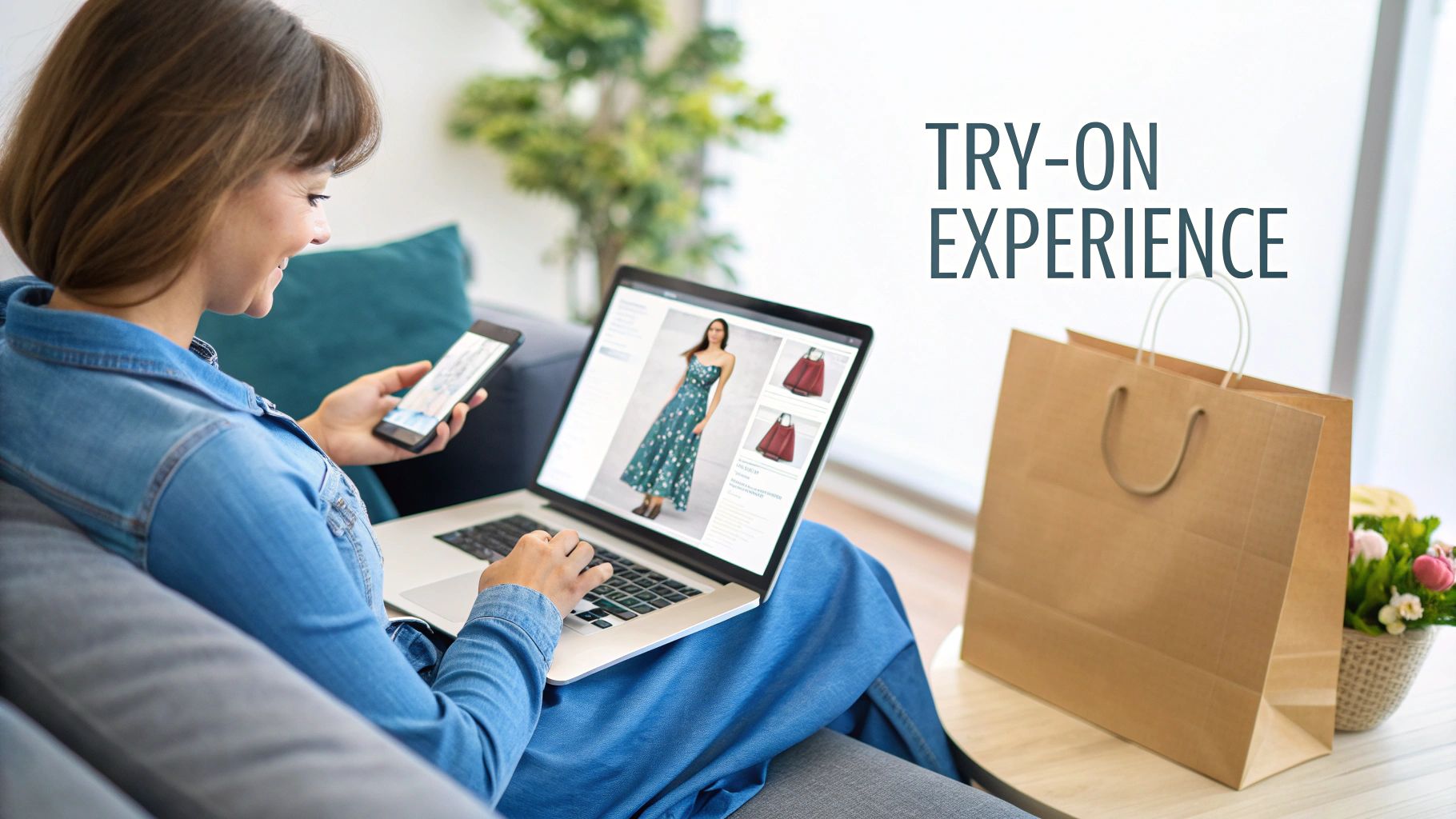
Think about why “try on haul” videos go viral on TikTok and YouTube. It’s not just about the clothes; it’s about seeing them on a real person. Viewers see how a dress hangs, how jeans move, and how different pieces can be styled together. That genuine experience builds an incredible amount of trust and desire.
For too long, replicating that feeling on an eCommerce site felt impossible. But static size charts and perfectly posed model shots just don’t cut it anymore. Shoppers in 2025 have higher expectations. They crave the confidence to know an item will look amazing on them before they even add it to their cart.
How to Close the Gap Between “I Like It” and “I’ll Take It”
This is exactly where the concept of a try on haul website makes all the difference. You’re not just showing a product; you’re creating an interactive fitting room. By integrating a virtual try-on tool, you give shoppers the power to see your collection on a model that reflects their own body type.
This technology tackles the single biggest obstacle in online fashion: doubt. It instantly turns a passive product page into an active, fun, and personal styling session. This isn’t just a fleeting trend; it’s a fundamental shift in how people shop. A recent market analysis projects the virtual try-on market to grow from $9.17 billion in 2023 to an incredible $46.42 billion by 2030. This guide will show you exactly how to get ahead of that curve.
Key Benefits for Your Shopify Store
Implementing virtual try-on offers a powerful solution to some of the most persistent challenges in eCommerce. By directly addressing customer uncertainty, you can see tangible improvements across key business metrics.
| Business Challenge | Actionable Virtual Try-On Solution | Expected Outcome in 2025 |
|---|---|---|
| High Cart Abandonment | Let customers visualize fit and style on a model, increasing purchase confidence before they commit. | Boosted Conversion Rates |
| Costly & Frequent Returns | Empower shoppers to make more informed sizing decisions, drastically reducing fit-related returns. | Significantly Reduced Return Rates |
| Low Customer Engagement | Create an interactive, game-like fitting experience that keeps shoppers on-site longer and exploring more items. | Enhanced Customer Engagement & LTV |
By implementing these features, you’re not just solving logistical problems; you’re building a more engaging and trustworthy brand that customers will return to again and again.
When you transform your product pages, you stop selling just clothes and start selling confidence. You’re giving every customer the green light they need to hit “buy now,” fully assured they’ve found something perfect for their body and their style.
Step 1: Set Up Your Virtual Fitting Room on Shopify
Jumping into virtual try-on is far easier than you might think. You don’t need to hire a developer or get tangled up in complex code. The best tools today are built for entrepreneurs who need solutions that just work. They plug right into Shopify with a few simple clicks, turning your store into a genuine try on haul website.
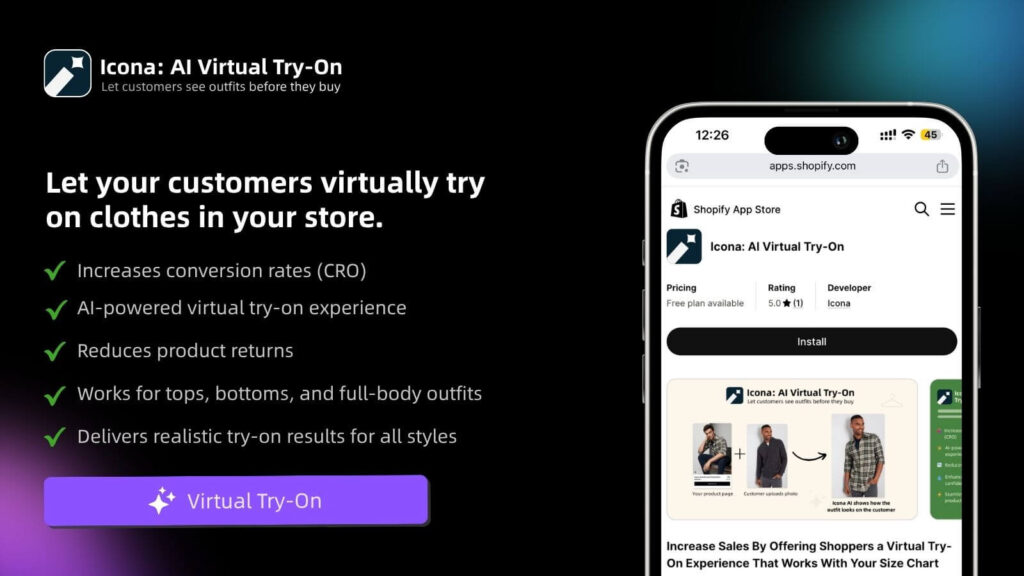
The mission here isn’t just to bolt on a new feature. It’s about crafting an experience that feels completely natural and aligned with your brand. The first step is to head to the Shopify App Store and choose a solution. An app like Icona is designed specifically for this, letting you get started quickly without technical headaches.
How to Get Started: An Actionable Walkthrough
Once you’ve installed the app, the process begins right inside your Shopify dashboard.
- Select Your Products: Kick things off by choosing which products to activate for virtual try-on. Actionable Step: Start small. Pick a curated collection of 5-10 items—perhaps your latest arrivals or all-time best-sellers—to get a feel for the process. For example, a new Summer 2025 collection could feature a hero dress, a linen blouse, and wide-leg trousers.
- Upload Your Images: Next, upload your product photos. High-quality shots on a clean background or even on a mannequin are perfect. The app’s AI does the heavy lifting from there, preparing the image for the virtual fitting room.
- Activate the Feature: With your products selected and images uploaded, simply toggle the feature on for those items.
Here’s a glimpse of how an app like Icona looks on the Shopify App Store, emphasizing ease of use and immediate benefits.
The interface makes it clear how seamlessly the tool embeds the virtual try-on feature into your product pages, making it feel like an organic part of the shopping journey.
Step 2: Customize the Experience to Match Your Brand
A generic, out-of-the-box button isn’t going to cut it. To make this feel like your store, you need to customize the look and feel of the try-on button itself.
Most apps give you simple but powerful options. You can—and absolutely should—tweak these elements:
- Button Text: Ditch the boring “Try On.” Use microcopy that echoes your brand’s voice. Actionable Step: Test phrases like “See it on You,” “Try it On Virtually,” or “Find My Fit.”
- Button Colors & Style: Match the button’s color, font, and shape to your store’s theme. It should look like it was designed for your site, not just tacked on.
- Placement: Think strategically about where the button will make the biggest impact. The best location is typically right below the size selector and near the “Add to Cart” button. It’s the perfect spot to answer that last-minute doubt before a customer commits.
These small adjustments make a world of difference. It’s what turns a third-party tool into a trusted, integral part of your brand’s unique shopping experience.
Pro Tip: Think of the virtual try-on button as your store’s most helpful sales associate. It needs to be visible, inviting, and clearly communicate what it does. A well-placed, on-brand button practically begs to be clicked, building instant confidence.
Step 3: Launch Your First Virtual Collection
With your products selected and button styled, you’re ready to go live. But launching is more than just flipping a switch—it’s about introducing this fantastic new feature to your customers.
Actionable Step: Create buzz around your launch. Send an email to your subscribers with a subject line like, “No More Guesswork! Try On Our New 2025 Collection From Home.” You could also create a quick, fun video for social media showing just how easy the feature is to use.
This initial push educates your audience and drives targeted traffic to your most important product pages. By guiding shoppers through their first virtual try-on, you’re proving your commitment to a better, more confident shopping experience.
Step 4: Design a Seamless Try-On Haul Website Experience
Now that the technology is in place, it’s time to weave it into your customer’s journey so it feels completely natural. This isn’t about just adding another button; it’s about strategically integrating this feature to boost engagement and make shopping feel like an exciting discovery.
The best try on haul website experience is both intuitive and inviting. It gently guides shoppers toward a confident purchase without ever feeling pushy. The secret lies in thoughtful design and smart user experience (UX) choices.
How to Optimize Your Product Page Layout
Think of your product page as the main stage. Where you place your virtual try-on button can make or break its success. It needs a prime spot where it can catch a shopper’s eye at the precise moment of decision.
The sweet spot is directly beside or just below the size selector, right above the “Add to Cart” button. This location is psychologically powerful. It intercepts the customer exactly when they’re second-guessing the size or fit, offering an immediate solution to their biggest worry.
A shopper’s natural eye movement follows a path: they see the product, check the price, select a size, and then… they hesitate. That hesitation is your golden opportunity. A well-placed virtual try-on button transforms that moment of doubt into a moment of confident action. You can learn more about elevating your pages with our guide on Shopify product page customization.
The Power of Compelling Microcopy
Words matter, especially the small ones. The text on your try-on button—what we call microcopy—is a critical piece of this puzzle. “Try It” is okay, but it doesn’t inspire. You want to use language that connects with your customer’s mindset.
Actionable Step: Try out some of these more powerful alternatives:
- See it on a model like you: This speaks directly to the need for personal representation.
- Visualize Your Fit: This focuses on the practical benefit of solving the sizing dilemma.
- Try it On Virtually: This is clear, modern, and sets the expectation for a cool, tech-forward experience.
The right microcopy makes the feature feel more personal and less like a clunky piece of software. It’s an open invitation to play, experiment, and ultimately, find something they truly love.
In 2025, customers aren’t just buying a product; they are buying an experience. Your try-on feature is the gateway to that experience, and its design should communicate ease, fun, and confidence from the very first click.
Go Beyond the Button: Build Immersive Haul Pages
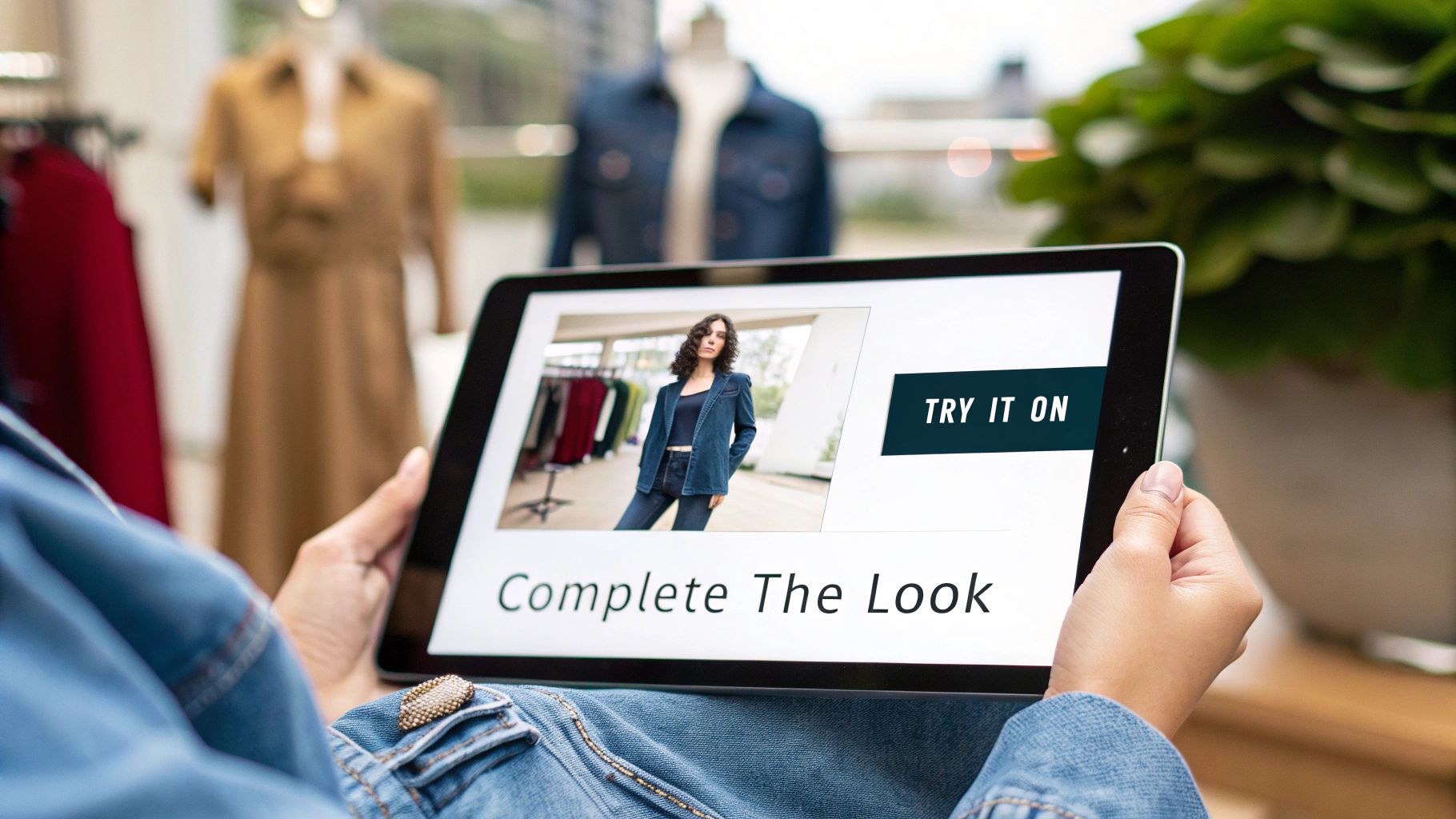
A truly exceptional try on haul website thinks bigger than just one product page. Actionable Step: Build dedicated landing pages that capture the thrill of a social media haul. This is where you can elevate the experience from a simple tool into an immersive shopping event.
For example, a boutique owner could create a “Complete the Look” collection page. Instead of just showing individual items, they curate an entire outfit—the blazer, the blouse, the trousers. With a tool like Icona, you can empower shoppers to virtually try on the entire ensemble at once.
This strategy simplifies styling for your customer and is a natural way to increase average order values (AOV). You could create dedicated haul pages for different styles or events:
- The 2025 Weekend Getaway Haul: A curated mix of casual dresses, comfy jeans, and versatile tops.
- The Work-From-Anywhere Wardrobe: A collection of blazers, blouses, and pants that are professional yet comfortable.
- The Ultimate Wedding Guest Edit: A selection of dresses and accessories that shoppers can mix and match virtually.
By building these dedicated experiences, you’re not just selling clothes anymore. You’re selling a vision and a level of convenience that will keep customers coming back.
Step 5: Generate On-Model Photos with AI
Professional photoshoots are a huge barrier for many brands. The cost of hiring models, photographers, and renting a studio can feel out of reach, especially when you’re just starting out. But what if you could bypass all of that and still get stunning, diverse model photography? This is where an AI fashion model generator changes the game.
From a Flat Lay to a Full Campaign in Minutes
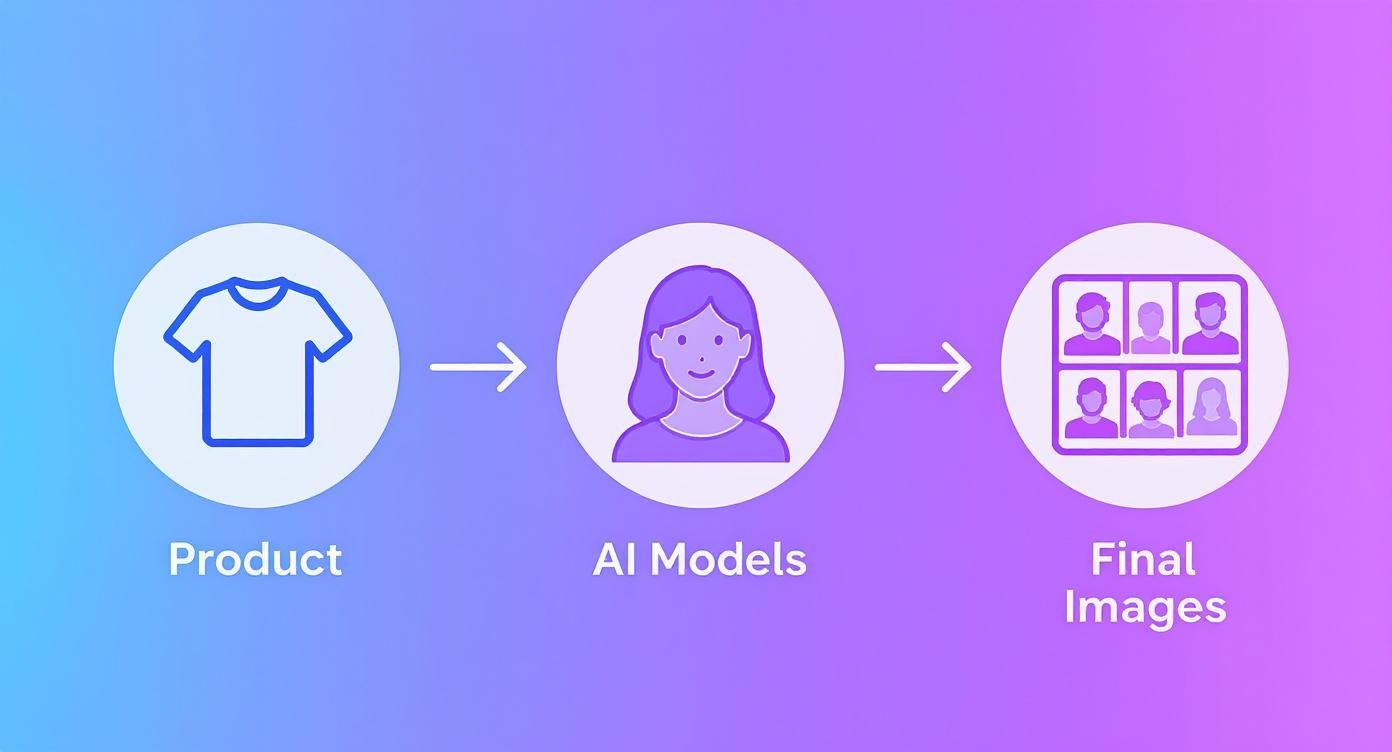
The concept is refreshingly simple. Actionable Step: Take a photo of your product—it can even be on a plain mannequin—and upload it to a tool like Icona Studio. The AI masterfully places your item onto a wide range of AI-generated models.
The result? A collection of images ready for your product pages, Instagram feed, and email campaigns. This isn’t just about saving money; it’s about agility. You can generate an entire season’s worth of lifestyle shots in a single afternoon.
AI model photography breaks down the biggest obstacles to creating professional eCommerce visuals. You no longer need a massive budget to build a beautiful, inclusive, and high-converting online store.
Craft a Brand That Reflects Your Customers
One of the most meaningful benefits of using AI is the power to show your products on models who genuinely represent your audience. Inclusivity isn’t just a buzzword; it’s a core business strategy for 2025. Shoppers want to see themselves in the brands they buy from.
With AI, you have the creative control to select models from a diverse spectrum of:
- Ethnicities and skin tones, making your brand feel welcoming to everyone.
- Body types and sizes, showing how your clothing looks and fits on real bodies.
- Ages and styles, helping you connect with different customer demographics.
This representation is incredibly powerful. When a shopper sees a model who looks like them confidently wearing your product, it creates an immediate personal connection and builds the trust needed to click “add to cart.”
Fueling Your “Try-On Haul” Experience
This technology is the perfect engine for your “try-on haul” experience. Instead of being limited to one or two model photos, you can now generate dozens.
Case Study: The Floral Blouse Transformation
- Before AI: A dropshipper has a simple flat-lay photo of a new floral blouse. It shows the pattern but lacks life.
- After AI: The product page now features a vibrant gallery. That same blouse is shown on three different models—one enjoying coffee at a bustling city cafe, another walking through a sunlit park, and a third against a clean, minimalist studio backdrop.
Suddenly, it’s no longer just a blouse. It’s a story. It’s an aspirational moment that customers can immediately imagine for themselves, turning your store into a destination.
Step 6: Measure Your Success and Optimize for Growth
Getting your virtual try-on feature live is a fantastic first step, but the real magic begins when you start analyzing the data. By diving into the analytics, you can transform raw numbers into a clear roadmap for growth, making smart decisions to enhance your try on haul website experience.
Most virtual try-on apps, including Icona, come with a built-in analytics dashboard. You don’t need to be a data scientist to understand the story in the numbers.
Key Metrics to Watch in Your Dashboard
Actionable Step: Zero in on these core metrics to understand your performance.
- Try-On Engagement Rate: The percentage of visitors on a product page who click the “Try It On” button. A high rate means your button’s design and placement are working.
- Conversion Rate with Try-On: The percentage of shoppers who bought an item after using the virtual try-on. Compare this to the conversion rate of those who didn’t—the difference is your uplift.
- Return Rate Reduction: Keep a close watch on the return rates for products with the feature enabled. Over time, you should see a healthy decline in returns citing fit issues.
- Average Order Value (AOV): Are people who use the feature adding more to their carts? The confidence gained from one item often inspires them to buy more.
Tracking these pillars creates a powerful feedback loop. You can instantly see what’s working and prove the value of this technology with hard data.
How to A/B Test Your Way to Higher Conversions
Once you have your baseline numbers, it’s time to experiment. A/B testing is your secret weapon for optimization. It’s a method where you show two different versions of an element—like a button—to different segments of your audience to see which one performs better.
The market for this technology is exploding. Detailed industry reports show the virtual try-on market value is set to skyrocket from USD 14.2 billion in 2025 to an incredible USD 128.1 billion by 2035, growing at a staggering CAGR of 24.6%. You can dig deeper into this trend by exploring the full market growth projections at Fact.MR.
To help you get started, here are some practical A/B tests you can run right away.
A/B Testing Ideas for Your Virtual Try-On Feature in 2025
| Test Element | Variation A (Control) | Variation B (Test) | Key Metric to Track |
|---|---|---|---|
| Button CTA Text | “Virtual Try-On” | “See It On You” or “Try It On Now” | Click-Through Rate (CTR) on button |
| Button Color | Matches brand’s secondary color | High-contrast, attention-grabbing color | Click-Through Rate (CTR) on button |
| Button Placement | Below the “Add to Cart” button | Next to the “Add to Cart” button | Engagement Rate & Conversion Rate |
| On-Page Prompt | No pop-up or banner | A subtle banner: “Unsure of the fit? Try it on!” | Try-On Engagement Rate |
Remember, the goal is to build a culture of continuous improvement, where every small tweak gets you closer to a frictionless, high-converting customer journey.
The goal of A/B testing isn’t just to find a single “winner.” It’s to cultivate a mindset of continuous improvement, where every small tweak is a step toward a more seamless, high-converting customer journey.
Common Questions About Virtual Try-On
Diving into new technology always stirs up a few questions. We talk to Shopify merchants every day, and most of their concerns boil down to the same things: time, money, and performance. Here are the honest answers to the questions we hear most about creating a try on haul website experience.
Do I need to be a coder to set this up?
No. Not at all. Modern tools like Icona are designed as simple, one-click Shopify apps. If you can install an app from the Shopify App Store, you’re already overqualified. You never have to dig into your theme code.
Will a virtual try-on app slow down my site speed?
It’s a valid concern, as a slow site is a conversion killer. Reputable virtual try-on apps are built to be lightweight and have a nearly invisible impact on your load times. They use a technique called asynchronous loading, which means your essential page content (product photos, “Add to Cart” button) loads first and instantly. The try-on experience then loads a split second later in the background, ensuring a snappy, seamless experience.
Expert Takeaway for 2025: Performance is everything. Before committing to any app, check recent reviews for comments on site speed. Always choose a solution that prioritizes a fast, optimized experience for your customers.
Is this technology affordable for a small business?
Yes, it’s more accessible today than ever before. Most modern apps are built for growing brands, with flexible pricing that scales as you do. Many services, Icona included, offer a free plan or a trial period. This lets you test the waters with zero risk. When you weigh the small monthly cost against what you lose to returns, the investment often pays for itself almost immediately.
What kind of products are best for virtual try-on?
This technology shines with products where fit and style are a huge part of the buying decision.
- Apparel: Tops, t-shirts, dresses, sweaters, and jackets are the sweet spot.
- Accessories: Sunglasses, hats, and scarves are also brilliant for this, as it helps people visualize how an accessory completes their outfit.
The core goal is to help a customer see an item on a body similar to their own. This is what makes it so powerful for creating curated collections, like a “Summer 2025 Lookbook” or “Weekend Getaway Essentials” page. You’re not just selling a product; you’re selling a complete look and the confidence to go with it.
Takeaway: Building a try on haul website is no longer a futuristic concept—it’s an essential strategy for 2025. By following these actionable steps, you can create an immersive, confidence-building experience that drives sales and delights customers.
Ready to turn “I wonder how this will look” into “I have to have this”? Try Icona’s virtual try-on to boost your conversions. Explore Icona and start your free trial today.
SEO Meta Description:
Build a high-converting try on haul website on Shopify. Our 2025 guide offers actionable steps to reduce returns and boost sales with virtual try-on.
Featured Image Idea:
A split-screen image. On the left, a frustrated shopper looks at a sizing chart on a laptop. On the right, a happy shopper uses a virtual try-on tool on a tablet, smiling confidently at the result. The text “From Guesswork to Confidence in 2025” is overlaid.