
We’ve all been there. You click on a product that looks perfect, your credit card practically leaping out of your wallet, and then… you’re met with a blank screen and a spinning wheel of doom. One second passes. Two. Three. And just like that, you’ve clicked away.
That brief wait isn’t just a minor annoyance for your customers; it’s a dealbreaker. A slow loading web page is the silent killer of sales, tarnishing your brand before a visitor even sees how incredible your products are. In 2025, that first impression happens in milliseconds, not seconds.
The Three-Second Test Your Store Is Probably Failing
In the world of eCommerce, three seconds is an eternity. It’s the unspoken deadline your Shopify store has to prove it’s worth a customer’s time. We pour so much passion into beautiful design and clever marketing, but if the page doesn’t snap to life instantly, none of it matters. This isn’t about chasing a perfect score on a techy speed test; it’s about respecting your customer’s time and meeting their fundamental expectation of a modern online store.
Think of it like walking into a physical shop. If the door was stuck or the lights took ten seconds to flicker on, you’d turn around and leave, right? Your website is no different. A sluggish site creates friction and plants a seed of doubt from the very first click.
Why Speed Is Your Silent Salesperson
Every millisecond counts, and the data paints a brutally honest picture of what’s at stake. A delay of just one second can have a cascading, negative impact on your store’s performance. For Shopify merchants, this isn’t just a technical problem—it hits your bottom line, hard.
- Conversion Rates Plummet: There’s a direct link between page speed and sales. I’ve seen stores boost conversions simply by shaving off a few hundred milliseconds. Faster pages just convert better. Period.
- Trust Evaporates: A snappy, seamless experience feels professional. It builds trust and tells customers you’re reliable. A slow site does the complete opposite, making you look amateur.
- Bounce Rates Soar: Think of a high bounce rate as a customer walking in, taking one look around, and immediately leaving. Over 53% of mobile visitors will abandon a page if it takes longer than three seconds to load.
In 2025, speed isn’t a feature—it’s the foundation of a great customer experience. It’s the invisible engine that powers every click, every purchase, and every loyal fan you create.
The best part? This is a problem you have complete control over. Once you understand what’s causing the slowdown and take a few targeted steps, you can transform a frustrating user experience into a serious competitive advantage. Let’s start by digging in and finding out what’s really going on under the hood.
Become a Speed Detective: How to Find Your Bottlenecks
Before you can fix anything, you have to know what’s broken. Right now, your slow-loading pages are leaving a trail of clues, and it’s our job to follow them. This isn’t about getting lost in technical jargon; it’s about using a couple of brilliant tools to get a clear picture of what’s really holding your store back.
Think of this as a doctor’s visit for your website. You wouldn’t start a treatment without a proper diagnosis, and the same principle applies here. Making random changes is just shooting in the dark. Instead, we’re going to pinpoint the exact issues so we can fix them with confidence.
The reality for your customers is brutally simple. A few seconds of waiting is all it takes to lose their interest—and their business.
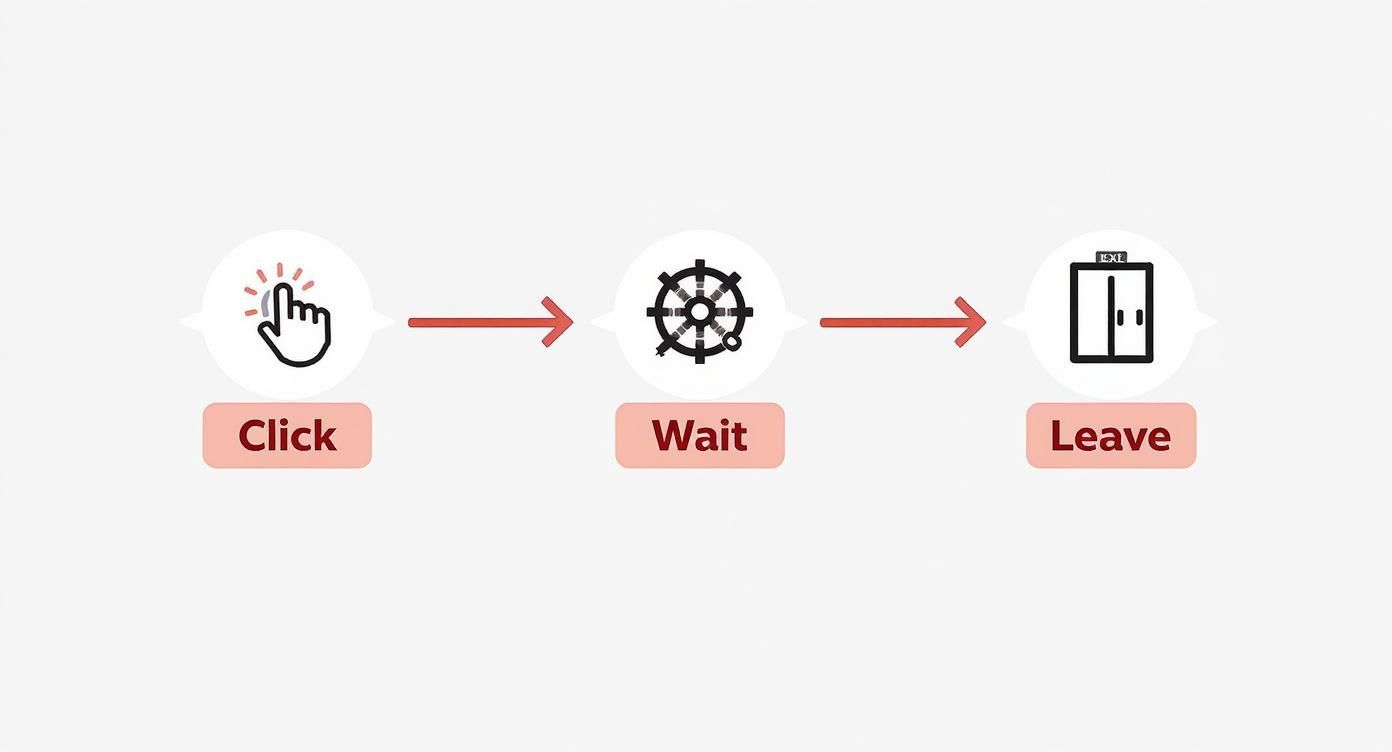
That journey from “Click” to “Wait” to “Leave” can happen in an instant, turning a potential sale into just another bounced visitor.
Your Go-To Diagnostic Tools
So, where do we start? The best tool for the job is free, incredibly powerful, and designed to give you clear, actionable insights. Your first stop should always be Google’s PageSpeed Insights.
Just plug in your store’s URL, and it’ll spit out a detailed performance report for both mobile and desktop. It gives you an overall score, which is nice, but the real gold is in the specific recommendations it provides.
And while it’s tempting to chase a perfect score of 100, don’t get hung up on it. Instead, focus on the real-world metrics that directly impact your customers’ experience.
- Largest Contentful Paint (LCP): How long does it take for the most significant piece of content (usually your hero image or a big block of text) to show up? This is what tells your customer, “Okay, this page is actually loading.”
- Cumulative Layout Shift (CLS): Ever tried to click a button, only to have an ad load and push it down, making you tap the wrong thing? That’s CLS. It’s a measure of visual stability, and a high score is a massive source of frustration.
- Interaction to Next Paint (INP): This new metric measures how quickly your page responds when a user tries to do something—like clicking an “Add to Cart” button or opening the navigation menu. A long delay feels like the site is broken.
These aren’t just abstract numbers; they are direct translations of your customer’s experience. A poor LCP means they’re staring at a white screen. A high CLS makes your store feel glitchy and untrustworthy.
Understanding these metrics is vital because the stakes are sky-high. In 2025, while the goal is a load time under 2 seconds, the average mobile site still takes a sluggish 8.6 seconds to load. With nearly half of all shoppers expecting a site to load in two seconds or less, that massive gap contributes to an estimated $2.6 billion in lost sales annually. You can read more about how load times impact ecommerce revenue on Hostinger.
By using these diagnostic tools, you stop guessing and start making informed decisions that bring those lost opportunities back to your store.
The Top 5 Speed Killers on Shopify Stores
After running these tests on hundreds of stores, I’ve seen the same culprits show up time and time again. This table is your cheat sheet to the most common issues, helping you zero in on what likely needs your attention first.
| The Culprit | Why It Slows You Down | Quick Fix Action |
|---|---|---|
| Huge, Unoptimized Images | Large image files are the #1 cause of slow pages. They take forever to download, especially on mobile connections. | Compress images before uploading, use modern formats like WebP, and ensure they are sized correctly for their containers. |
| Too Many Third-Party Apps | Each app adds its own code (JavaScript & CSS) that has to be loaded, often from different servers, creating multiple points of failure. | Audit your installed apps. If you aren’t using one or its value is low, uninstall it completely. Don’t just disable it. |
| Bloated or Inefficient Theme Code | Some themes are packed with features you don’t use, leading to heavy, complex code that browsers struggle to process quickly. | Choose a well-coded, lightweight theme. If you’re stuck with a slow one, consider a professional code audit or switching themes. |
| Render-Blocking Scripts & Stylesheets | Scripts that must load before the rest of your page is visible create a bottleneck, forcing visitors to wait on a blank screen. | Use the defer or async attributes for non-essential JavaScript. This tells the browser to load them in the background. |
| Lack of Caching & CDN | Without a Content Delivery Network (CDN), every visitor has to fetch data from your origin server, which can be slow depending on their location. | Ensure your theme and hosting are leveraging browser caching and Shopify’s built-in CDN to serve assets from a server close to the user. |
Looking at this list, you can probably already spot a few areas to investigate on your own store. The key isn’t to fix everything at once but to tackle the biggest wins first. More often than not, starting with your images and apps will give you the most significant performance boost.
Unmasking the Common Culprits Behind a Slow Loading Web Page
Alright, you’ve run the tests and have your performance report in hand. Now comes the fun part—playing detective and hunting down the usual suspects. In my experience, when I see a slow loading web page on Shopify, it’s almost always one of these three main culprits causing the drag.
Let’s unmask them together.

The Number One Offender: Big, Beautiful Images
Your product photography is your lifeline. Those crisp, high-resolution shots are what convince a customer to click “Add to Cart.” But there’s a catch: unoptimized images are the single biggest cause of website slowdowns, bar none.
Every single image is a file that your visitor’s browser has to download. The bigger that file, the longer the wait, especially for someone shopping on their phone with a spotty connection. Think of it like trying to stream a 4K movie on old dial-up internet—it’s just not going to be a good experience.
This doesn’t mean you need to sacrifice quality for speed. The trick is to find that sweet spot with smart compression and modern file formats like WebP, which Shopify can handle automatically. If you’ve already uploaded huge images, you can often improve them with Shopify apps or even use a free online tool to resize or enhance smaller, optimized photos when needed.
Your Overcrowded App Drawer
Third-party apps are one of Shopify’s superpowers. They let you add incredible functionality to your store without writing a single line of code. But each app you install is like adding a new passenger to a car—the more you add, the heavier it gets and the harder the engine has to work.
Every app adds its own scripts and stylesheets that must be loaded. Some are feather-light, but others can be surprisingly heavy, creating a traffic jam of network requests that slow everything down. A pop-up app, a review widget, and a social feed plugin can quickly add precious seconds to your load time.
It’s time for an “app audit.” Go through your installed apps and ask a tough question for each one: “Does the value this app provides truly outweigh the performance cost?” If the answer is no, or if you haven’t used it in months, it’s time to uninstall it.
And remember, just disabling an app isn’t always enough. Some leave behind snippets of code in your theme. For a true clean-up, you have to hit uninstall.
Heavy Themes and Code Clutter
Finally, we need to talk about your theme. Not all Shopify themes are created equal. Some are built for speed—lightweight, clean, and efficient. Others are packed with so many built-in features, sliders, and complex animations that they become bloated and slow, even before you add your first product.
It’s tempting to choose a theme with all the bells and whistles, but often, a simpler, faster foundation is a much better starting point. When diagnosing a slow loading web page, investigating your server’s performance is also essential. Understanding different web server performance characteristics can offer insight into how quickly your theme’s assets are delivered. This technical side directly impacts the user experience.
With an average website in 2025 taking about 1.9 seconds to load its main content on mobile, every single piece of your site’s foundation matters.
By zeroing in on these three areas—images, apps, and theme code—you’re targeting the root causes of most speed issues. You’re taking the first critical steps toward a faster, more profitable store.
Your Game Plan for a Faster Shopify Store
Alright, you’ve done the detective work. You have the data, you know what’s slowing you down, and now it’s time to roll up your sleeves and get to work. This is the fun part—where we stop analyzing and start doing. We’re about to turn those diagnostic reports into real-world speed improvements that your customers will feel instantly.
Forget needing a degree in computer science. The most effective fixes are often the most straightforward. We’re going to focus on the heavy hitters, the changes that give you the biggest performance boost for the least amount of effort. Let’s transform that frustrating slow loading web page into a fast, seamless shopping experience.

Make Your Images Work Smarter, Not Harder
First up, let’s tackle the biggest resource hogs on almost every e-commerce site: the images. It’s a common mistake to make a customer’s browser download every single gorgeous product photo the moment they land on a page. There’s a much smarter way: lazy loading.
Think of it like this: you don’t need to see the pictures at the end of a long blog post until you actually scroll down to them, right? Lazy loading applies that same logic to your store. It only loads images and videos as they are about to appear on the screen. The result? Your initial page load becomes lightning-fast.
The good news is that many modern Shopify themes have this feature baked right in. Dive into your theme customization settings—you’ll often find a toggle for it under a “Performance” or “Media” section. Flipping that one switch can be a total game-changer.
Key Takeaway: Enabling lazy loading is all about prioritizing what the customer sees first. The rest of your beautiful assets load in the background as needed, which can dramatically improve that all-important “time to interactive” score.
Tame Your Third-Party Scripts
Remember those third-party apps we flagged earlier? Their scripts are often the real culprits behind a sluggish site. By default, a browser reads your site’s code from top to bottom. When it hits a script, it stops everything else—rendering the page, loading images—just to download and run that script. These “render-blocking” scripts are a primary cause of that dreaded loading delay.
The fix is to defer any script that isn’t absolutely essential for the initial page view. Adding a defer attribute to a script is like telling the browser, “Hey, go ahead and download this, but don’t run it until the rest of the page is ready.”
This is the perfect approach for elements that don’t need to appear instantly, such as:
- Live chat widgets
- Customer review carousels
- Social media feeds
This might sound overly technical, but many performance-minded apps give you an option to defer their scripts in their settings. If you’re comfortable poking around in your theme’s code, you can also manually add the defer attribute to script tags in your theme.liquid file. If not, this is a quick and high-value task to hand off to a Shopify developer. Moving from diagnosis to action is the most important part, and you can find more quick and effective tips to improve your website’s loading speed to keep the momentum going.
Let Shopify’s Network Do the Heavy Lifting
Here’s something you might not realize: as a Shopify merchant, you already have an incredible speed-boosting tool working for you 24/7. It’s a world-class Content Delivery Network (CDN), powered by the pros at Cloudflare.
A CDN is a massive, global network of servers that stores copies of your site’s assets (images, stylesheets, scripts) in datacenters around the world. So, when a shopper from London visits your store, your product images are served from a server in Europe, not all the way from one in North America.
This seriously cuts down on latency—the physical time it takes for data to travel across the globe. While Shopify handles all of this for you automatically, you can help it work even better. Just make sure all your theme assets are properly uploaded to the “Assets” folder in your theme editor. This guarantees they’re being served through the CDN for the fastest possible delivery to every customer, wherever they are. Smart optimizations can have a huge impact, especially on your most critical pages. To dive deeper into this, take a look at our guide on Shopify product page customization.
From Milliseconds to Money: Why Speed Equals Growth
Let’s move beyond the technical jargon of code and metrics for a moment and talk about what really matters: your bottom line. Getting your store to load faster isn’t just a box to check on a technical to-do list. It’s one of the most powerful growth levers you can pull for your business. The link between a snappy, responsive site and a healthy, growing business is direct, proven, and incredibly powerful.
Think of it this way: every millisecond you trim from your load time is like removing another tiny obstacle between a potential customer and a sale. When a page just works—snapping into view instantly—it communicates professionalism and builds trust. It tells your visitors that you value their time, creating confidence long before they ever add something to their cart.
The True Cost of a Slow-Loading Web Page
The financial drain of a sluggish site can be staggering. Recent research paints a crystal-clear picture: websites that load in 1 second have conversion rates nearly 3 times higher than sites that take 5 seconds to load. Each additional second of delay sends your bounce rate through the roof. For instance, a delay from 1 to 3 seconds increases the probability of a user leaving by 32%. You can explore the full research on website speed and revenue to see the numbers for yourself.
This isn’t just a scary statistic; it’s a massive opportunity. A staggering 53% of mobile users will abandon a page if it takes longer than three seconds to load. Just imagine what it would mean for your business to win back even a small fraction of those visitors.
Tackling a slow loading web page goes way beyond just trying to make Google happy. Yes, a faster site absolutely contributes to better rankings, but the most immediate and tangible reward comes directly from your customers. A better user experience translates directly to higher conversions, more repeat purchases, and a stronger brand reputation. For more ways to boost your store’s visibility, don’t miss our essential SEO tips for Shopify.
Speed as Your Competitive Edge
In a crowded marketplace, the customer’s experience is the ultimate differentiator. I can almost guarantee that many of your competitors are running on slow, clunky websites. By making speed a priority, you create a real, tangible advantage that shoppers can feel with every single click.
Your site’s performance becomes a silent salesperson, working around the clock to make the path to purchase smooth, enjoyable, and effortless. This isn’t about chasing a perfect 100 on some speed test tool. It’s about building a fundamentally better and more respectful relationship with the people who keep your business running. The return on that investment isn’t just measured in milliseconds—it’s measured in real, sustainable growth.
Your Shopify Speed Questions Answered
We’ve dug deep into the world of site speed, from using diagnostic tools to wrangling unruly images and apps. But even after all that, a few questions always seem to surface. Let’s clear them up right now so you can move forward with absolute clarity.
Think of this as the final huddle before the big game. These are the real-world questions we hear all the time from merchants who are serious about making their store lightning-fast.
How Often Should I Check My Store’s Speed?
The best approach is to treat it like a regular health checkup. I usually recommend my clients run a full speed test once a quarter, but always after making any significant change to their store.
What’s a “significant change”? Good question. It’s things like:
- Installing a new app
- Switching themes
- Uploading a big batch of new product photos
Getting into this habit is a game-changer. It lets you spot performance problems the moment they appear, long before they start eating into your sales. You’ll know right away if that cool new feature is actually costing you more than it’s worth.
Can Adding Too Many Products Slow Down My Website?
This is a classic myth, and the short answer is no, not really. The total number of products in your catalog has almost zero impact on the loading speed of any single page. What truly matters is what you try to load on a page at one time.
A collection page trying to display 100 high-resolution, unoptimized images will be a painfully slow loading web page. It doesn’t matter if your store has 100 products or 10,000. The fix is always the same: smart image optimization and lazy loading.
Is It Worth Paying for a Faster Shopify Theme?
It absolutely can be, but you have to understand what you’re buying. A premium, performance-focused theme from a trusted developer gives you an incredible head start. It’s like building your house on a solid concrete foundation instead of on shifting sand.
But here’s the catch: even the fastest theme in the world will crumble under the weight of gigantic images and a dozen resource-hungry apps. A fast theme gets you to the starting line in pole position, but your ongoing optimization habits are what will win you the race.
Will Deleting an App Completely Remove Its Code?
I wish I could say yes, but unfortunately, that’s not always the case. This is one of the most frustrating things Shopify store owners run into. When you uninstall some apps, they leave behind little scraps of code in your theme files. This digital debris builds up over time and can really drag down your performance.
Here’s a pro tip: After you uninstall an app, it’s a great idea to take a peek inside your
theme.liquidfile for any leftover scripts. If you’re not comfortable digging into the code yourself, it’s well worth having a Shopify expert do a quick cleanup for you.
Ready to give your customers an experience so seamless they’ll never think twice about site speed? Icona adds a virtual try-on button to your product pages, boosting confidence and conversions without slowing you down. See how it works at https://apps.shopify.com/icona.