

Ever felt that gut-wrenching moment when you upload a product photo, only to see it look fuzzy and unprofessional on a big screen? When your images are blurry, you’re not just losing pixels; you’re losing customers. This is where an online image upscaler becomes your secret weapon for growth.
Struggling to turn your product photos into conversion-driving assets? You’re in the right place. Think of an upscaler as a digital artist, powered by smart AI, that meticulously adds detail and clarity back into your photos. It transforms them from passable to polished, making your products look crisp, professional, and completely irresistible.
Your Guide to Flawless Shopify Product Images
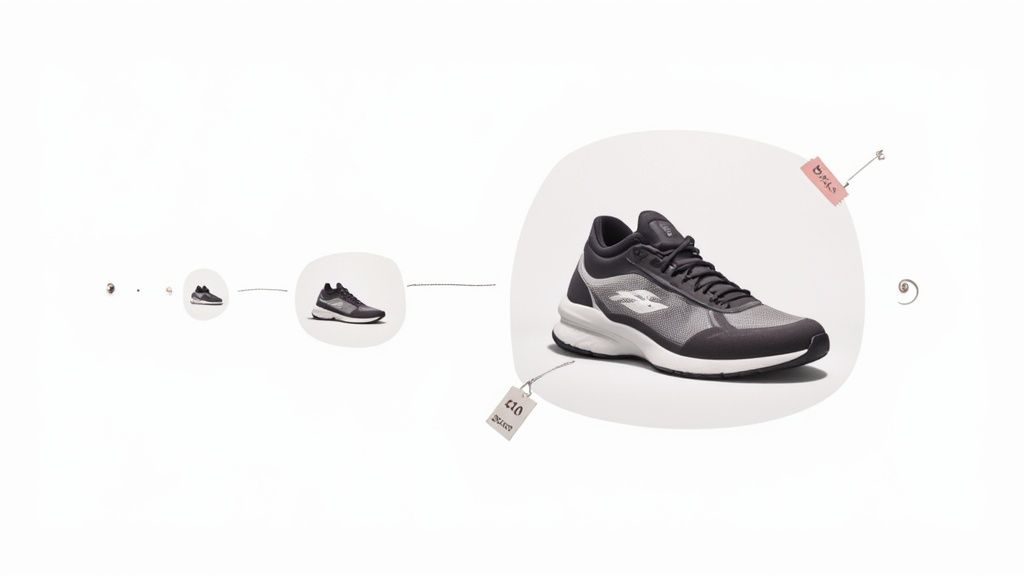
An upscaler can be a total game-changer for your store. It can rescue low-quality photos from a supplier, sharpen up pictures you snapped on your phone, and breathe new life into your entire product catalog. In this guide, I’ll pull back the curtain on how this technology works and give you a practical, step-by-step roadmap to elevate your store’s visuals, build customer trust, and watch your sales climb.
This isn’t just a niche tool; it’s a booming industry. Projections show the AI image enhancer market could explode to over USD 10 billion by 2033, which tells you everything you need to know about how vital high-quality visuals have become for businesses just like yours. You can explore more data on global AI image enhancer market trends to see just how massive this trend is.
What an Online Image Upscaler Can Do for You
At its heart, an online image upscaler increases the resolution—or the pixel count—of a digital image. But here’s the magic: unlike old-school resizing tools that just stretch out the existing pixels and create a blurry mess, modern upscalers use artificial intelligence to intelligently add new, realistic detail.
It’s less about stretching and more about rebuilding. The AI has been trained on millions of images to understand what a high-resolution version of your photo should look like, and it fills in the gaps with stunning accuracy.
The immediate benefits for your store are powerful:
- Rescue Low-Resolution Photos: Got grainy images from a supplier or old marketing shots? An upscaler can turn them into crisp, usable assets for your product pages.
- Enhance Smartphone Photography: Take the great photos from your phone and elevate them to a professional standard, making them perfect for retina displays and zoom features. A Shopify store that upscaled its smartphone photos saw a 28% increase in add-to-carts because customers could finally see the product details clearly.
- Improve Perceived Product Value: Sharp, detailed images signal quality and trustworthiness. They make your products look more premium, encouraging your customers to buy with confidence.
- Create Versatile Marketing Materials: Upscale a single image and use it everywhere—from a huge website banner to a small social media post—without losing an ounce of quality.
Online Image Upscaler Key Benefits at a Glance
Here is a quick summary of the immediate advantages an online image upscaler offers your Shopify store.
| Benefit | Impact on Your Store |
|---|---|
| Cost-Effective | Avoids expensive reshoots by fixing your existing low-quality images. |
| Increased Conversions | High-quality visuals are proven to build trust and encourage purchases. |
| Brand Consistency | Ensures all your product images have a uniform, professional look. |
| Time-Saving | Upscales images in seconds, dramatically speeding up your workflow. |
These benefits add up to a stronger brand and a healthier bottom line.
Key Takeaway: An online image upscaler isn’t just making your pictures bigger; it’s making them better. It intelligently rebuilds your photos to add detail, clarity, and a professional polish that directly shapes how your customers see your brand.
By weaving this tool into your workflow, you can turn every visual on your site into an opportunity to impress. It’s a simple, accessible way to gain a serious competitive edge. After all, a perfectly upscaled image will look even more stunning against the right professional backdrop, a crucial element you can master in our guide on choosing the perfect photography background cloth.
How AI Magically Transforms Your Images
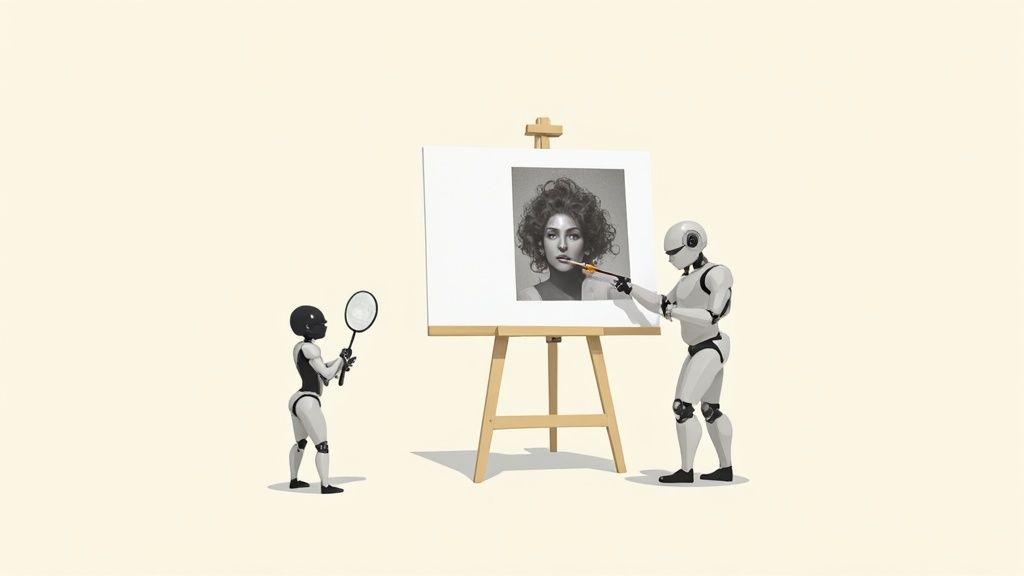
Have you ever wondered what’s really going on when you hit “upscale” on a blurry photo? It’s not just a simple trick of stretching the image. It’s a genuinely creative process, powered by some seriously smart AI, that feels like magic but is actually grounded in some fascinating technology.
Forget the old “zoom and enhance” trope from TV shows that just gave you bigger, blockier pixels. Modern online image upscalers are playing a completely different game. They don’t just guess what’s missing—they intelligently create it.
The AI as a Master Art Restorer
One of the most common methods uses something called a Convolutional Neural Network (CNN). The best way to think about a CNN is to imagine a master art restorer who has spent a lifetime studying millions of high-resolution images. This expert has an almost intuitive grasp of how textures, light, and edges are supposed to look in perfect detail.
When you feed this AI your low-resolution product photo, it sees it as a faded masterpiece in need of restoration. It scans the existing pixels and, drawing on its vast knowledge, begins to meticulously “paint in” the missing information with astonishing accuracy. It recognizes that a certain pattern of pixels suggests the rugged weave of denim, the smooth sheen of leather, or the clean line of a logo, and it reconstructs those details with confidence.
That’s the key. The final image doesn’t just look bigger; it looks sharper, cleaner, and more authentic because the AI has added brand-new, context-aware information. It’s breathing life back into your photo.
The AI with a Built-In Critic
Another incredible technique involves a Generative Adversarial Network (GAN). The name sounds intimidating, but the concept behind it is pure genius. Imagine you have two AIs working together in a competitive partnership:
- The Generator: This is the artist. Its sole purpose is to take your fuzzy image and generate the most realistic, high-resolution version it can possibly dream up. It’s literally creating new pixels from scratch to fill in the gaps.
- The Discriminator: This is the tough critic. Its job is to scrutinize the Generator’s work and determine if it looks like a genuine, high-quality photograph or just a clever fake.
These two are locked in a constant feedback loop. The Generator relentlessly tries to fool the Discriminator, while the Discriminator gets better and better at spotting imperfections. This rivalry forces the Generator to produce images that are so stunningly realistic they can easily pass for original, high-resolution photography.
Key Insight: The true power of AI upscaling lies in its ability to predict and generate new, believable details. It’s not just enlarging what’s already there; it’s creatively filling in the blanks based on an incredible depth of training, giving you a remarkably crisp final image.
What This Means for Your Shopify Store
Understanding what’s happening under the hood helps you see why an online image upscaler can be such a game-changer. You’re not just making a small photo bigger; you’re commissioning a digital artist to bring out its full potential.
This technology empowers you to:
- Enhance Product Details: The AI masterfully reconstructs fine textures, making fabrics, materials, and tiny features truly stand out. This gives your customers the clarity they need to make a confident purchase.
- Build Customer Confidence: Sharp, professional images send a powerful message of quality and care. It tells your customers you’re serious about your brand, which builds immediate trust.
- Create Versatile Assets: A single, beautifully upscaled image can become a stunning homepage banner, a detailed product zoom, or a crisp social media ad. Your brand will look its absolute best, everywhere.
This is how you turn a mediocre photo into one of your most powerful sales tools, ensuring your products look absolutely phenomenal on every device, from a small phone to a massive monitor.
Your Product Photos Can Make or Break Your Sales
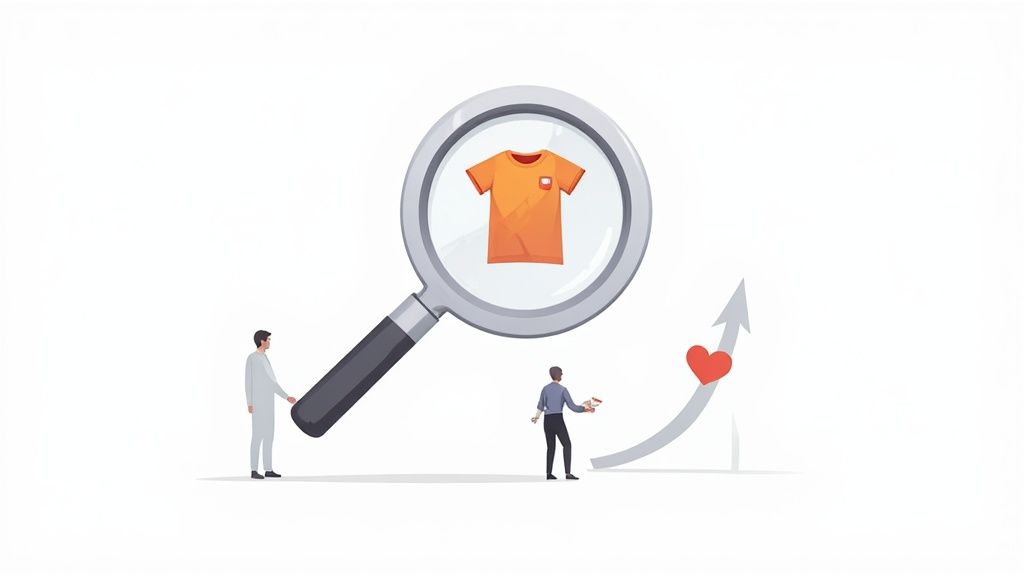
Let’s be honest. In the world of e-commerce, your product photos are your best salespeople. They work around the clock, showcasing your products and nudging shoppers to click “add to cart.” But if those photos are fuzzy, pixelated, or just plain unclear, they aren’t just failing at their job—they’re actively chasing away your customers.
High-resolution images are no longer a nice-to-have; they are the bedrock of a store that actually converts.
Crystal-clear, detailed photos do so much more than just look pretty. They instantly build trust and broadcast the quality of your brand. When a potential customer can zoom right in and see the fine stitching on a leather bag or the delicate texture of a hand-woven scarf, their confidence in what you’re selling goes through the roof. It’s the closest you can get to letting them hold the item in their hands.
The Psychology Behind a Perfect Picture
So, why do great images have such a profound effect on us? It all comes down to a simple, powerful psychological trigger: perceived value.
When a product is presented with sharp, professional photography, we instantly see it as more valuable, better made, and far more desirable. On the flip side, blurry images scream “cheap” and suggest a lack of care, planting seeds of doubt in a shopper’s mind.
This is exactly where an online image upscaler stops being a simple tool and starts becoming a direct investment in your revenue. By elevating your photos, you are directly elevating the perceived worth of every single thing you sell.
The demand for these tools is exploding as more and more businesses stake their claim online. With an incredible number of small and medium-sized businesses (SMEs) worldwide projected to top 400 million by 2025, countless entrepreneurs like you are turning to AI-powered solutions to create visuals that don’t just look good, but actively drive sales.
Turning Shopper Hesitation into Buyer Confidence
Think about the last time you shopped online. Did you ever bail on a purchase simply because you couldn’t get a clear look at the product? You’re definitely not alone. High-resolution images are the antidote to that uncertainty.
Here’s how upscaled images directly solve common customer headaches:
- Enables Deep Dives: A zoom feature is completely useless without a high-res photo to back it up. Upscaling ensures your customers can magnify every last detail without it dissolving into a blocky, pixelated mess.
- Answers Questions Visually: “What does the clasp on that necklace look like?” “Can I see the wood grain on that table?” Sharp images answer these questions before they’re even asked, smoothing out the path to purchase.
- Slashes Return Rates: When your customers know exactly what they’re getting, the chance of disappointment plummets. Clarity leads to happier customers and, thankfully, fewer returns.
The Bottom Line: Every pixel is an opportunity. High-resolution images build a bridge of trust between your brand and your customer. They erase doubt, provide answers, and create a powerful sense of quality that gives shoppers the confidence they need to hit that “buy” button.
It’s Time to Turn Your Visuals into Sales
Upgrading your product photography doesn’t have to mean booking expensive, time-consuming photoshoots. By using an online image upscaler, you can breathe new life into your existing photos—even the decent ones you snapped on your smartphone—and turn them into professional-grade assets that convert.
A beautifully optimized image is a non-negotiable part of a high-performing product page. To see how these visuals fit into the bigger picture of creating a winning storefront, check out our deep dive on Shopify product page customization.
By taking a few moments to enhance your images, you’re doing more than just improving the look of your site. You’re building a more credible, trustworthy, and ultimately more profitable brand.
A Practical Guide to Upscaling Your Shopify Images
Ready to give your product photos the glow-up they deserve? You don’t need to be a Photoshop wizard to get jaw-dropping results. With the right approach and a good online image upscaler, you can transform your product visuals from “good enough” to “add to cart.”
Let’s walk through the exact steps to breathe new life into your store’s imagery. This isn’t just a technical process; it’s about making your products look irresistible.
Step 1: Start with a Visual Audit
First things first, let’s figure out what you’re working with. Before you start upscaling every single image, take a quick stroll through your own Shopify store. Pretend you’re a customer and look for the photos that could use a little extra love.
- Spot the slightly blurry shots: These are your low-hanging fruit. Photos that are just a little soft can be brought back into sharp focus beautifully.
- Hunt down low-res supplier photos: We’ve all been there. You get tiny, pixelated images from your manufacturer. These are perfect candidates for upscaling.
- Check your hero images and banners: The biggest, most important visuals on your site absolutely have to be flawless. These should be at the top of your priority list.
This quick audit isn’t about being critical; it’s about creating a smart, focused plan. You’ll know exactly where your efforts will make the biggest difference.
Step 2: Choose Your Upscaling Tool Wisely
Not all upscalers are built the same. The internet is flooded with options, but you want to find a tool that is fast, intuitive, and, most importantly, delivers clean results without weird digital artifacts.
The best services usually offer a free trial or a handful of free credits. This is your chance to test-drive them. Grab one of the images you flagged in your audit, upload it, and see what happens. It’s the only way to know if a tool’s “magic” is right for your products.
Step 3: Prep Your Photos for the Best Results
Think of the AI as a talented artist. The better the canvas you give it, the better the masterpiece it can create. A little prep work goes a long way.
Before you upload, make sure your images have:
- Good lighting: A bright, well-lit photo gives the AI much more detail and information to work with.
- Decent focus: While these tools are amazing, they can’t save a photo that’s completely out of focus. Slightly soft is fixable; a blurry mess is not.
- The right format: Stick to the basics. Most online tools work best with common formats like JPEG or PNG.
Pro Tip: If you have the original photo file, use it! Every time a JPEG is saved, it gets compressed and loses a tiny bit of quality. Starting with the highest-quality version you have will always give you a superior final image.
Step 4: Understand Your Upscaling Options
Once your photo is uploaded, you’ll see options like 2x, 4x, or maybe even 8x. So, what do these actually mean for your image?
- 2x Upscaling: This is your go-to for most product photos. It doubles the image’s dimensions (a 600×600 pixel image becomes 1200×1200 pixels), which is usually perfect for giving Shopify’s zoom feature something crisp and clear to work with.
- 4x Upscaling: This quadruples the dimensions. It’s fantastic for when you need to turn a smaller image into a big, bold homepage banner that stops scrollers in their tracks.
For your product pages, 2x is almost always the sweet spot. It delivers a massive quality boost without creating huge files that will slow your site down. Start there. Only jump to 4x when you truly need a much larger hero image.
Step 5: Review and Refine the Final Image
Once the AI has done its thing, it’s time for a quality check. Don’t just glance at the result; zoom in and really look. Compare the “before” and “after” and inspect the details that matter most to your customer—the texture of a sweater, the facets of a diamond, the precision of a logo.
Does it look natural? The best online image upscaler tools create results that are sharp but still look real. If you see any odd patterns or a waxy, “plastic” look, it might be a sign to try a different tool or a lower setting.
Step 6: Optimize and Upload to Your Store
This last step is absolutely critical. You now have a beautiful, high-resolution image, but it’s probably a massive file. Uploading it as-is will slow down your store, which is a killer for both your customer experience and your SEO.
Before uploading to Shopify, run your new image through a free image compression tool online. These tools are brilliant—they slash the file size with almost no noticeable drop in quality. You get the best of both worlds: a lightning-fast site and stunning, high-definition product photos.
Once it’s compressed, upload it to your product page and watch your visuals come to life!
To make sure you nail it every time, here’s a simple checklist you can follow.
Upscaling Workflow Checklist for Shopify Merchants
Follow this simple checklist for a smooth and effective image upscaling process.
| Step | Action Item | Pro Tip |
|---|---|---|
| 1. Audit | Identify blurry, low-res, or critical images (banners, bestsellers). | Start with the 5-10 images that will have the biggest impact on your sales. |
| 2. Select Tool | Choose an upscaler with a free trial to test your own images. | Look for tools that specialize in product photos to avoid an overly “artistic” look. |
| 3. Prepare | Select the highest-quality original image file (JPEG or PNG). | Make sure the lighting is good and the subject is reasonably in focus. |
| 4. Upscale | Select 2x for product photos and 4x for large banners. | Avoid going higher than you need; bigger isn’t always better for your site speed. |
| 5. Review | Zoom in and check for natural texture and sharpness. | Compare the “before” and “after” side-by-side to ensure it’s a true improvement. |
| 6. Optimize | Compress the upscaled image before uploading to Shopify. | Aim for the smallest file size possible without any visible loss in quality. |
Following these steps methodically will not only improve your images but also protect your site’s performance, giving you a powerful competitive edge.
When to Upscale and When to Start Fresh
An online image upscaler is a fantastic tool, but it’s not a silver bullet for every visual problem you’ll encounter. The real skill lies in knowing when to enhance a photo you already have and when it’s time to create something new from the ground up. Nailing this decision will make your entire visual strategy sharper and more efficient.
Here’s a simple way to think about it: an upscaler is like a photo restoration expert, tasked with perfecting what already exists. In contrast, a generative AI tool is your creative director, ready to build exactly what you need.
The Perfect Scenarios for an Online Image Upscaler
You’ll want to reach for an upscaler when your goal is purely to improve the quality of an image without altering its fundamental content. It’s the ideal fix for rescuing photos that are basically good but just don’t have that professional, high-definition polish.
Here are the moments when an online image upscaler truly shines:
- Rescuing Supplier Photos: Your supplier sends over product shots, but they’re too small or a little fuzzy. An upscaler can instantly sharpen them into beautiful, store-ready images for your Shopify listings.
- Improving Older Images: You’ve got photos from an old collection that you can’t reshoot, but they look pixelated on modern screens. Upscaling can give them a second life.
- Repurposing Social Media Content: That awesome photo from your Instagram feed would make a perfect website banner, but the resolution is too low. An upscaler bridges that quality gap in seconds.
- Enhancing Smartphone Pictures: You snapped some well-lit, perfectly framed shots on your phone, but they just aren’t sharp enough for your product page’s zoom feature. This is a classic job for an upscaler.
This simple decision tree can help you visualize when an upscaler is the right move.
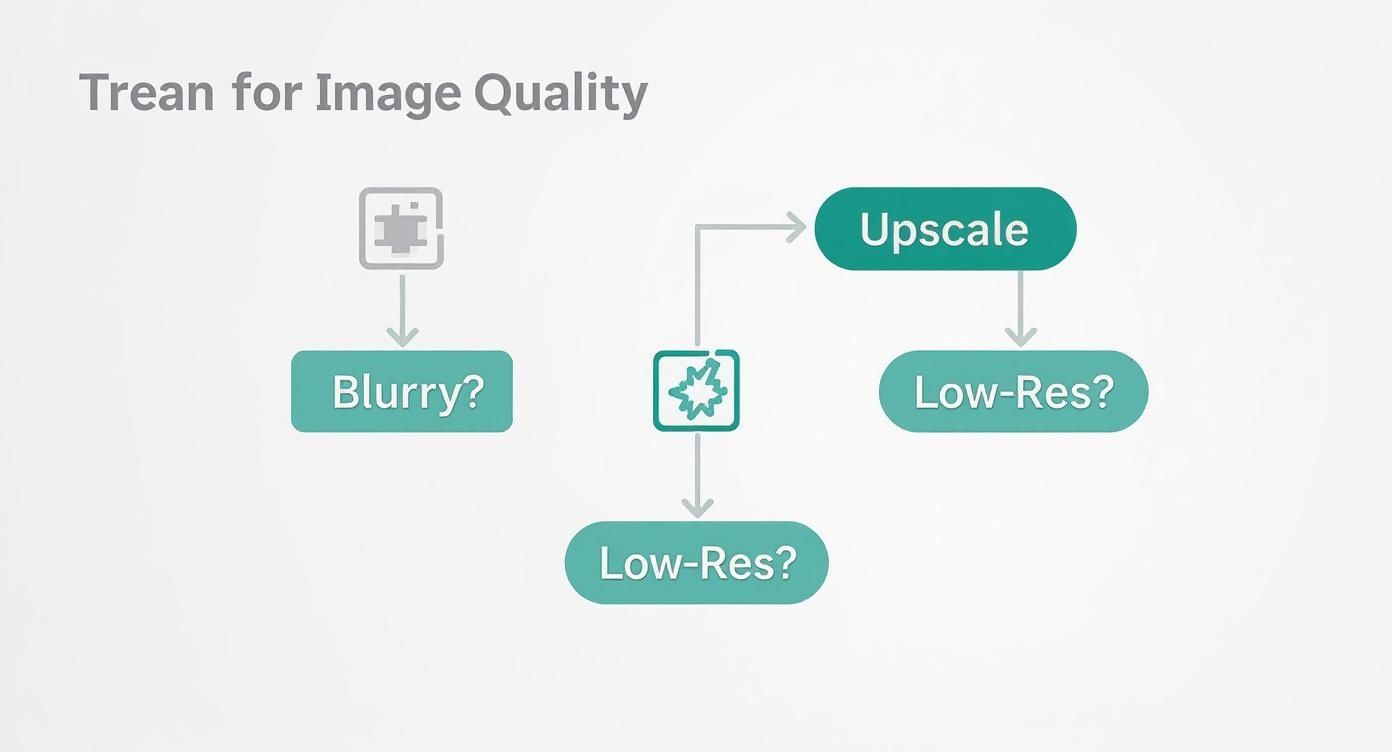
As you can see, if the root of your problem is a lack of pixels or clarity, an online image upscaler is your most direct and effective path forward.
When to Create Something New with AI
But sometimes, no amount of sharpening can fix the core issue. Maybe you need a completely different background, a new product angle, or a lifestyle shot you just don’t have. This is where you pivot from restoration to creation.
Generative AI tools are your go-to when you need to:
- Create Different Angles or Variations: Your photo only shows the front of a product, but your customers want to see a three-quarter view or a close-up of a key feature.
- Change the Background or Setting: You need to transport your product to a new scene—a sun-drenched beach, a modern kitchen, or a clean studio—without an expensive photoshoot.
- Generate Lifestyle Imagery: You want to show your product in action with a model but don’t have the budget or timeline for a live shoot.
- Produce Entirely New Concepts: You need to dream up marketing visuals that don’t exist yet, like a styled flat lay of your product with perfectly matched props.
Key Takeaway: Upscale to perfect what you have. Generate to create what you need. Understanding this distinction saves you time, money, and creative energy, ensuring you always choose the right tool for the task at hand.
For these kinds of creative jobs, a tool like Icona Studio is built for the challenge. While an online image upscaler refines an existing picture, Icona Studio can generate entirely new, photorealistic images from scratch, handing you complete creative control. This balanced toolkit lets you build a smarter, more agile visual strategy for your Shopify store. Just like TryIcona helps customers visualize products before purchase, these tools help them take the next step toward a confident purchase.
Balancing Image Quality and Site Performance
So, you’ve used an online image upscaler and now you have these absolutely stunning, high-resolution product photos. The temptation is to upload them straight to your store, right? Hold on a minute. This is where we need to talk about the delicate dance between breathtaking quality and lightning-fast site performance.
Let’s be real: huge, unoptimized images are the number one killer of a speedy Shopify store. A slow site doesn’t just frustrate your customers—it can absolutely tank your SEO rankings. The secret sauce is making your beautiful upscaled images much smaller in file size without losing that crisp, clear quality you worked so hard to get.
Compressing Images the Smart Way
“Image compression” might sound a bit techy, but the concept is simple. It’s all about shrinking the file size of your picture. There are two main ways to do this, and knowing the difference is crucial for keeping your photos looking great.
- Lossless Compression: This method cleverly reduces the file size by stripping out unnecessary metadata from the image file. Imagine it as cleaning out your file cabinet—all the important stuff (your pixels) is still there, just packed more efficiently. The image quality stays exactly the same, but the file size reduction is usually pretty small.
- Lossy Compression: This approach is a bit more aggressive. It intelligently removes bits of pixel data that the human eye isn’t likely to pick up on anyway. This can lead to a massive drop in file size, but if you push it too far, you’ll start to see the quality degrade.
Your Sweet Spot: For your Shopify product photos, a light touch of lossy compression is almost always the perfect move. It delivers that ideal combination of a significantly smaller file size with a visual quality that still looks sharp and professional to your customers.
The good news is you don’t have to do this manually. Countless free online tools and Shopify apps can find that perfect balance for you. Getting that file size down while keeping your images looking amazing is a critical step in making your store more visible to search engines. If you want to dive deeper, you can find more essential SEO tips for your Shopify store.
Protecting Your Most Valuable Assets
Every time you upload a product photo to an online service, you’re trusting them with a valuable piece of your business. This brings up a really important conversation about privacy and security.
With so many tools out there, it’s vital to know who you’re dealing with. Before you use any online image upscaler, take a few minutes to read their privacy policy.
Here’s what you should be looking for:
- A clear promise that your images will not be used to train their AI models.
- Confirmation that your photos are automatically and permanently deleted after a set period.
- A guarantee that they won’t share or sell your images to anyone else.
Your product photos are your intellectual property, period. Choosing a service that respects that gives you the confidence to improve your visuals without putting your business at risk. This careful approach is how you build a store that isn’t just beautiful and fast, but also secure.
Your Top Questions About Image Upscalers, Answered
Jumping into the world of AI tools can feel like learning a new language. You’ve got questions, and that’s a great sign you’re taking your store’s quality seriously. Let’s clear up some of the most common things Shopify merchants like you wonder about when it comes to online image upscalers.
Will Using an AI Upscaler Make My Images Look Fake?
That’s the big fear, isn’t it? Nobody wants their products to look like they’ve been wrapped in plastic. But you can breathe easy. The best AI upscalers are trained on millions of real-world photos, so they’ve learned what real textures are supposed to look like.
Instead of just adding a fake, glossy finish, a good tool is brilliant at enhancing the details that are already there, like the weave of a fabric or the grain in a piece of wood. The secret is to give it a decent photo to start with and not push it too far—trying to turn a tiny thumbnail into a massive billboard (think beyond a 4x upscale) might reveal some digital weirdness. Always give the final result a quick look to make sure it represents your brand perfectly.
Can I Use an Online Image Upscaler on My Smartphone Photos?
Yes, you absolutely can! Honestly, this is one of the best ways for you to get ahead. Most of us start out snapping product photos on our phones, and while today’s smartphones are amazing, the images sometimes don’t have that super-crisp quality you need for a professional “zoom” feature on your product page.
An online image upscaler is your secret weapon here. It can take those good smartphone shots and make them great, adding the sharpness and clarity that builds customer confidence and makes your products pop. It’s a game-changer for getting high-end results without dropping a ton of cash on professional camera gear.
How Much Does an Online Image Upscaler Cost?
The cost can be all over the place, but many of the best tools run on a “freemium” model. This is perfect for you because it means you can usually upscale a few images for free to see if you like the results before committing.
Once you decide to pay, it’s often based on a credit system, where you might buy a pack of credits or get a certain number with a small monthly subscription. For most Shopify stores, this is incredibly affordable. When you think about the return you get from better conversion rates and a more trustworthy brand image, it’s easily one of the smartest and most cost-effective investments you can make for your store.
Ready to leave blurry photos in the past and start creating visuals that truly sell? Your next step is to audit your own product pages and identify one or two key images you can improve today. Pick a tool, follow the steps in this guide, and see the difference for yourself. A small change in image quality can lead to a big change in your sales.
Explore how Icona Studio can transform your product photography today!