
Are you tired of wrestling with your budget just to get professional-looking product photos for your store? You’re not alone. For years, creating stunning, studio-quality images felt like a massive uphill battle. But that’s all changing. AI product photography is here, and it’s completely reshaping how you can create the visuals that sell your products. It puts the power of a full-scale photo studio right at your fingertips—no camera or lighting crew needed.
A New Chapter for Your E-commerce Visuals
Let’s be real: incredible visuals are the heart and soul of your Shopify store. But traditional photoshoots are a huge roadblock for growing brands like yours. The costs pile up, the logistics are a nightmare, and the whole process takes forever. You end up with just a handful of images you’re forced to recycle over and over again. It’s a creative bottleneck that can leave you feeling stuck, unable to refresh your product pages or launch exciting new campaigns.
Now, what if you could dream up an endless variety of lifestyle shots, custom backgrounds, and perfectly on-brand imagery whenever you wanted? That’s the promise of AI product photography. This isn’t about faking products. It’s about taking a simple, clean photo of your real product and dropping it into countless professionally crafted scenes.
A Smarter, Faster Way to Create
Picture this: your best-selling handbag, beautifully shot in a cozy Parisian café, then on a sun-drenched tropical beach, and finally in a sleek, modern apartment. You could generate all of these—and hundreds more—in a single afternoon, right from your laptop. This kind of visual firepower was once only accessible to brands with eye-watering budgets. Not anymore.
This isn’t just a niche trend; it’s a massive shift. The global AI market is absolutely exploding and is projected to hit $1.81 trillion by 2030. A huge part of that growth is fueled by tools built specifically for e-commerce, designed to automate and elevate creative work for entrepreneurs like you.
The Big Idea: AI product photography isn’t some futuristic gimmick. It’s a fundamental change in how online brands create their most valuable asset: product visuals. It levels the playing field, giving you the ability to compete visually with the biggest names in your space.
Let’s look at how this directly tackles the headaches that come with traditional photography.
| Factor | Traditional Photoshoot | AI Product Photography |
|---|---|---|
| Cost | High (photographer, studio, props, models) | Low, predictable subscription fee |
| Time | Weeks of planning, shooting, and editing | Minutes to generate dozens of images |
| Variety | Limited to the scenes and props on-site | Virtually unlimited creative possibilities |
| Logistics | Complex coordination, shipping products | Simple: just upload a photo of your product |
| Consistency | Can be difficult to maintain across shoots | Effortless brand consistency with saved styles |
As you can see, the difference is night and day. AI gives you the freedom to create without the traditional constraints.
Solving Your Biggest Photography Headaches
This technology is a direct answer to the most common frustrations you face as a Shopify merchant. By handing over the heavy lifting to AI, you can finally break through the barriers that have been holding back your visual marketing.
- Crushing Costs: Forget about renting studios, hiring photographers, or sourcing expensive props. You can generate thousands of unique images for less than the cost of a single traditional photoshoot.
- Endless Logistics: Skip the weeks of planning, scheduling, and back-and-forth. Create images ready for your next big campaign in minutes, so you can jump on trends or holidays instantly.
- The Variety Problem: Stop reusing the same five photos everywhere. Build a deep, diverse library of visuals to keep your website, social media, and ads feeling fresh and exciting.
- Wobbly Branding: Easily generate images that lock into your specific style, color palette, and brand vibe. This ensures a polished, cohesive look across your entire store. To learn more about building that seamless look, check out our guide on the best ecommerce personalization tools.
How to Create Your First AI-Powered Photoshoot in 4 Simple Steps
Alright, let’s get your hands dirty and create some incredible AI-powered images for your store. This is where the magic really happens. We’re going to walk you through the entire process, from taking a simple photo with your phone to generating a professional-quality lifestyle shot that actually sells.
Forget everything you think you know about product photography. The days of booking expensive studios and hiring photographers are fading. Today, it’s about a smart, creative workflow that puts you in the director’s chair.
This diagram perfectly captures the shift. You’re moving away from the old, expensive, and slow process to something fast, flexible, and far more creative.
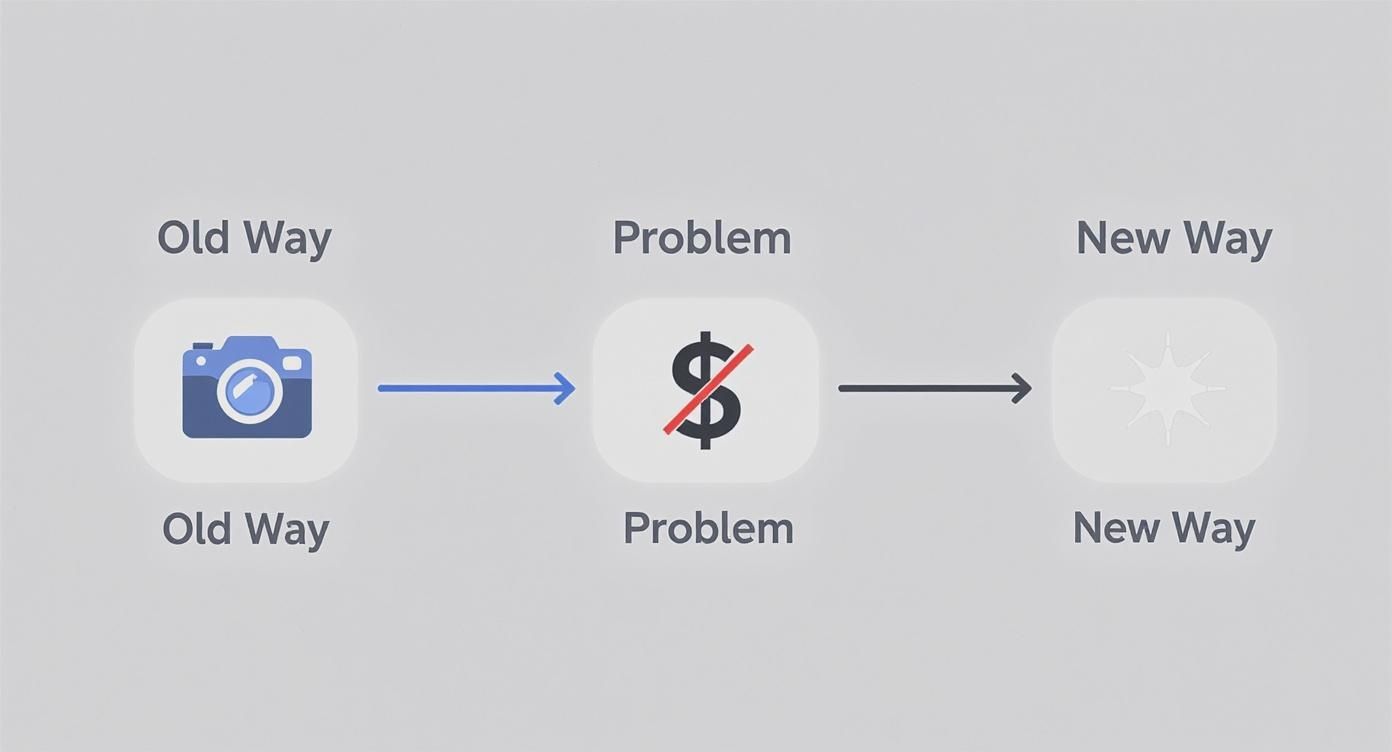
The new way removes the biggest hurdles—cost and complexity—so you can focus on bringing your brand’s vision to life.
Step 1: Start with the Perfect Product Shot
Here’s the thing: your final AI image is only as good as the initial photo you give it. This is the single most important part of the process. A clean, high-quality image of your actual product is non-negotiable. Think of it as giving your AI artist the best canvas and paints to work with.
And no, you don’t need a fancy DSLR. Your smartphone is more than powerful enough.
Here’s my advice for getting that perfect shot:
- Hunt for Good Light: Natural, diffused light is your secret weapon. Place your product near a window on a cloudy day or in a spot with bright, indirect sun. You want to avoid the harsh, direct sunlight that creates those sharp, ugly shadows.
- Keep the Background Simple: A plain white or light-colored background is ideal. It helps the AI cleanly separate your product from everything else. A large sheet of paper, a poster board, or even a clean wall works wonders. If you want a more pro setup, you can find different kinds of photography background cloth that provide a perfectly smooth surface.
- Capture All the Angles: Don’t just take one photo. Shoot your product from the front, the side, and a three-quarter view. This gives you options later and lets you find its most flattering side for your AI scenes.
- Get it Sharp: Tap your phone’s screen right on the product to lock in the focus. A blurry source photo will only ever produce a blurry AI image. It has to be crisp.
Your Go-To Pro Tip: After you’ve taken the picture, use a free app like PhotoRoom or even Canva’s background remover. Uploading a PNG file with a transparent background gives the AI the cleanest possible starting point and leads to much better results.
Step 2: Write Prompts That Create Magic
With your product photo ready, it’s time for the really fun part: telling the AI what kind of world to build around it. You do this with a text prompt, which is just a short, descriptive sentence that acts as your creative brief. Your job is to paint a picture with your words.
The secret to a killer prompt is specificity. Don’t just say “on a table.” What kind of table? What’s it made of? What’s the lighting like? What’s the mood? Every detail you add makes the final image more believable and compelling.
Let’s break it down with a couple of real-world examples.
Example 1: A Skincare Product
- Vague Prompt: “A skincare bottle on a counter.” (Boring.)
- Detailed, Effective Prompt: “A minimalist white skincare bottle on a white marble countertop. Soft morning light streams in from a window on the left. A single dewy green leaf rests beside the bottle. Photorealistic, clean, and serene.”
Example 2: A Leather Handbag
- Vague Prompt: “A handbag on a chair.” (You can do better.)
- Detailed, Effective Prompt: “A rich brown leather tote bag sitting on a rustic wooden chair in a cozy café. A steaming cup of coffee and an open book are on the small table next to it. Warm, inviting afternoon light. Lifestyle shot.”
See the difference? The detailed prompts mention materials, lighting, mood, and even the desired camera style (“photorealistic,” “lifestyle shot”). These words are the direct instructions the AI uses to craft a scene that feels real.
When you use a tool like Icona Studio, the process is incredibly straightforward. You just upload your product shot and start describing the scene you envision. It’s built for people who aren’t tech wizards, making it easy for you to jump right in.
Step 3: Generate and Iterate
Ready to give it a shot? Run your first generation! Don’t expect perfection on the first try. The real power is in refining your prompt. Tweak the lighting from “morning light” to “golden hour,” or swap “marble countertop” for “slate tile,” and see what happens. This isn’t just about making pretty pictures; it’s about giving you the creative control of a professional photographer without the sky-high costs and logistical nightmares.
Step 4: Optimize Your New Images for Shopify
You’ve used AI to create a whole library of incredible, eye-catching product photos. That’s a huge win. But here’s a hard truth: creating the images is only half the job.
Now it’s time for you to put those visuals to work. Getting this next part right is what turns pretty pictures into assets that actually drive sales. This isn’t just about dragging and dropping files into your Shopify admin. You need to think like a customer and, just as importantly, like a search engine.
A gorgeous, high-resolution image that takes forever to load can kill a sale in seconds and tank your Google rankings. Let’s make sure all your creative effort pays off.
Nail the Technicals for Speed and SEO
Before you upload a single image, you have to talk about speed. Page load time is everything in e-commerce. It’s not just a minor annoyance for your shoppers; it’s a conversion killer. The data is clear: even a one-second delay can cause a 7% drop in conversions. That’s a painful number. Your beautiful AI product photography should be an asset, not an anchor.
Here’s how to make sure your images are lean, mean, and lightning-fast:
- Choose the Right File Format: Forget what you know about JPEGs. In 2025, the gold standard for the web is WebP. This format, developed by Google, delivers fantastic image quality at a fraction of the file size. Most AI tools can export directly to WebP, and if not, a quick online converter will do the trick.
- Compress Everything: A massive, uncompressed image file is the enemy of a fast website. Use a tool like TinyPNG or rely on Shopify’s excellent built-in optimizer to shrink file sizes without any noticeable loss in quality. A great target to aim for is under 100 KB per image.
- Get Your Dimensions Right: This is a classic rookie mistake. Never upload a giant 4000×4000 pixel image when your theme is only going to display it at 800×800. Resize your images to the exact dimensions your Shopify theme requires before you upload. This saves the browser from having to resize it on the fly, which is a huge drag on loading time.
Write Alt Text That Actually Gets You Found
Next up is something that’s so easy to ignore but so incredibly powerful: alt text. This is the little text description you add to an image in Shopify. It does two critical things. First, it makes your store accessible for visually impaired users who use screen readers. Second, it’s a direct signal to Google about what your image contains, which is pure SEO gold.
A lazy alt text is just “handbag.” A great alt text tells a story.
Your Personal Tip: Don’t just stuff keywords in there. Write your alt text as if you’re describing the photo over the phone to a friend. When you do that, the important keywords naturally fall into place, and you create a much better experience for everyone.
Here’s a simple formula you can use for writing effective alt text:
[Product Name] – [Key Features] in a [Scene/Setting]
- Weak Alt Text:
alt="skincare bottle" - Strong Alt Text:
alt="Glow Serum minimalist skincare bottle on a white marble countertop with soft morning light"
See the difference? That detailed description helps Google understand the context of your product. This is how you start ranking in image searches and bringing more free, organic traffic straight to your product pages.
Build a Product Gallery That Sells
Finally, let’s think about the big picture. How will these new images look together on your product page? A product gallery shouldn’t feel like a random collection of photos. It should be a carefully curated visual narrative that walks a customer from curiosity to “add to cart.”
You’ve got a fantastic variety of shots from your AI tool, so let’s be strategic.
- The Hero Image: Start with a crisp, clear shot of the product on a simple background. This is your classic “packshot” that shows the customer exactly what they’re buying, no distractions.
- Lifestyle in Context: Next, bring in 2-3 of your best AI-generated lifestyle images. Show your product being used or admired in an environment that speaks directly to your target audience’s aspirations.
- The Devil’s in the Details: Add close-ups that highlight the texture, materials, or unique craftsmanship of your product. If you find your AI images are a bit soft on the fine details, a good online image upscaler can sharpen them up beautifully.
- Show Off the Options: If you offer different colors, materials, or styles, you absolutely need a dedicated, high-quality image for every single variant. Don’t make your customers guess.
By taking the time to optimize the technical stuff and thoughtfully arrange your gallery, you transform those AI-generated images into a high-octane sales engine. This is where your creative vision meets real-world results, building a store that isn’t just stunning but is also fast, accessible, and designed to convert.
Turning Your AI Visuals Into More Sales
You’ve got a fantastic library of AI images. That’s the first step. Now, let’s make them work for you—let’s turn that creative spark into actual revenue. Your product images are your silent salespeople, and knowing how to make them speak directly to your customers is what separates a good store from a great one. This isn’t about the tech; it’s about connecting with people.
Remember, your customers aren’t just buying a thing. They’re buying a feeling, a solution, or a better version of themselves. When you use AI product photography to drop your product into a scene that feels relatable and aspirational, you’re not just showing what it is—you’re showing what it enables. This helps shoppers instantly picture it in their own lives, making the decision to buy feel less like a transaction and more like a natural next step.
Tap Into Your Customer’s Aspirations
Take a moment and really think about your ideal customer. What does their world look like? What do they dream about? Your product photos should be a mirror, reflecting that world right back at them.
AI gives you this incredible superpower to craft these perfect scenes instantly. Selling handcrafted leather journals? Forget the sterile white background. Use an AI prompt to place it on a rustic wooden desk next to a steaming mug of coffee, with soft morning light spilling through a window. Suddenly, it’s not just a journal; it’s a portal to creativity, a promise of quiet, reflective mornings.
Here are a few actionable ideas for your store:
- Fitness Gear: That water bottle isn’t just for hydration. Show it on a yoga mat overlooking a serene mountain sunrise.
- Luxury Skincare: Place your face cream on a sleek marble vanity next to a plush silk robe. It’s an act of self-care.
- Children’s Toys: Generate a scene with your toy in a bright, sun-drenched playroom. It’s a scene of pure, simple joy.
These context-rich images answer your customer’s unspoken questions and help them see your product as a piece of the life they’re building for themselves.
The Power of A/B Testing Your Visuals
One of the most effective—and historically expensive—marketing tactics is now completely within your reach: visual A/B testing. For years, this was a game only big brands with huge budgets could play. To test if a handbag sold better against a city backdrop versus a beach scene, you’d have to commission two entirely separate, costly photoshoots.
Those days are over.
With AI, you can spin up dozens of variations in minutes for practically nothing. Does your handbag get more clicks in a bustling city street scene or a quiet, minimalist café? Does a dark, moody background convert better than a light, airy one? You don’t have to guess anymore. AI makes finding the real answer simple, affordable, and incredibly fast. For example, a Shopify store A/B tested their hero images and found that lifestyle shots increased add-to-carts by 28% compared to plain background photos.
Your Next Step: Stop guessing what your customers want to see. Use AI to create a handful of different visual concepts, run simple tests on your product pages or in your ads, and let the data point you to what truly drives clicks and sales.
This data-first approach takes the guesswork out of your creative decisions and helps you build a visual strategy that’s actually proven to work. It’s a fundamental shift that levels the playing field for small businesses. In fact, the global e-commerce product photography market hit around $1 billion in 2024 and is expected to double by 2033, largely because AI is making powerful strategies like this accessible to everyone. You can dig into more of the market growth data on businessresearchinsights.com.
Build Trust with Visual Consistency
While variety is key for testing, consistency is what builds a brand people trust. You want your AI-generated images to feel like they all belong to the same story. A cohesive visual identity makes your store look polished and professional, which gives shoppers the confidence to buy from you.
Use your AI tool to deliberately establish a clear visual style.
- Define Your Lighting: Is your brand all about “soft, natural morning light” or “dramatic, high-contrast studio lighting”?
- Choose Your Color Palette: Do your backdrops lean into “warm, earthy tones” or “cool, minimalist grays and blues”?
- Select Your Environments: Are your scenes typically “urban and modern” or “rustic and natural”?
Once you figure out what works, create a “prompt library”—just a simple document where you save your best-performing prompts. This becomes your brand’s visual playbook, ensuring every new image reinforces your identity. It’s just like how Icona Studio helps customers see how a product fits their personal style; your consistent imagery helps them see how your brand fits into their life. That’s how you move beyond one-time sales and start building a loyal following that comes back for more.
Working Through the Quirks of AI Photography
Jumping into AI product photography is an adventure, but let’s be real—it’s not always a straight line from prompt to perfection. AI is a phenomenal creative partner, but it has its odd moments. Sooner or later, you’ll generate an image that’s just… off. The lighting might feel alien, a shadow lands in the wrong place, or the AI invents a bizarre detail that has no business being there.
Don’t sweat it. This is part of the creative dance. The goal isn’t to get frustrated but to learn how to nudge the AI in the right direction. Think of it less like a vending machine and more like a collaboration—you’re refining the vision together.
Troubleshooting Those “What Happened Here?” Moments
When a generation goes sideways, the temptation is to scrap it and start fresh. But hold on. Often, a small adjustment to your prompt is all you need. The AI doesn’t see like we do; it interprets your text literally. When it gets something wrong, it’s usually because your instructions left a little too much room for creative (and sometimes weird) interpretation.
Here are a few common hiccups and how to fix them by tightening up your prompts.
Problem: The shadows and lighting look unnatural.
- The Fix: Get hyper-specific about your light source. Instead of a generic “brightly lit,” tell the AI where the light is coming from. Try phrases like “soft morning light filtering through a window on the left” or “dramatic, single-source overhead studio lighting.” This gives the AI a clear point of reference for casting believable shadows and highlights.
Problem: The AI is adding random objects to the scene.
- The Fix: This is where negative prompts are your best friend. Most advanced AI tools, including Icona Studio, let you specify what you don’t want. If you keep getting surprise floral arrangements in your minimalist shots, adding a negative prompt like
no flowers, no patternscan instantly clean up the composition. It’s a game-changer.
- The Fix: This is where negative prompts are your best friend. Most advanced AI tools, including Icona Studio, let you specify what you don’t want. If you keep getting surprise floral arrangements in your minimalist shots, adding a negative prompt like
Problem: The textures look flat or synthetic.
- The Fix: Layer in descriptive adjectives. Don’t just say “wooden table.” Is it a “rustic, weathered oak table with a prominent grain” or a “smooth, polished dark cherry wood table with a high-gloss finish”? Those extra details give the AI the data it needs to render textures that look and feel real.
Build a Prompt Library to Keep Your Brand on Point
Once you start getting the hang of it, a new challenge pops up: consistency. A product page filled with images in a dozen different styles looks messy and unprofessional. The secret to keeping your brand’s visual identity tight is building a prompt library.
This doesn’t have to be complicated. A simple Google Doc or a page in Notion is perfect. It’s a living document where you save your greatest hits—the prompts that perfectly capture your brand’s essence.
Your prompt library is your brand’s visual style guide for the AI era. It’s the key to making sure every image, whether you create it today or six months from now, feels like it belongs to one cohesive, polished brand.
Start by defining your brand’s core visual DNA. What’s the signature look you’re after?
- Lighting Style: “Soft, diffused natural light, always”
- Color Palette: “Warm, earthy tones—think muted greens, beiges, and terracotta”
- Overall Vibe: “Minimalist and clean, with organic, natural elements”
When you finally write a prompt that nails this aesthetic, save it! For example:"A [product name] on a light, unfinished oak surface. Soft, diffused natural light comes from a large window on the right. The background is a simple, out-of-focus room with a single large monstera plant. Minimalist, clean composition with warm, earthy tones."
Now, you have a master template. The next time you need an image, just copy this base prompt and swap in the new product details. This simple habit will save you countless hours and is the single most effective way to ensure your AI product photography consistently strengthens your brand identity.
A Quick Word on Ethics and Building Trust
Finally, let’s talk about the most important thing: trust. AI gives you the power to create stunning, aspirational scenes, but that power comes with responsibility. Your customers trust you to show them what they’re actually buying.
Using AI to mislead—to make a product look larger than it is, to change its color, or to imply it comes with accessories that are sold separately—is a fast track to broken trust and a flood of returns.
The goal isn’t to create a fantasy your product can’t live up to. It’s to tell the story of your real product in the most beautiful way possible. Use this incredible technology to build a brand that’s not just gorgeous, but also honest and trustworthy.
Your Top AI Photography Questions, Answered
Diving into AI product photography can feel like stepping into a whole new world, and it’s totally normal to have a few questions. You’re not just testing out a new app; you’re fundamentally changing how you create your store’s most critical assets. Let’s tackle some of the biggest questions from Shopify owners just like you, so you can jump in with complete confidence.
Think of this as your personal FAQ, clearing the path so you can focus on creating amazing visuals.
Is AI Product Photography Too Expensive for a Small Store?
Honestly, this is one of the biggest myths out there. The reality? AI photography is one of the most cost-effective upgrades you can possibly make to your store.
Think about the old way of doing things: hiring a photographer, booking a studio, sourcing props, paying for editing… the bill can easily hit thousands of dollars for just a handful of shots. That traditional model has always been a barrier for smaller businesses and startups like yours.
AI completely turns that on its head. Most tools, including Icona Studio, work on a super flexible subscription or credit-based system. This means you can create a massive library of unique, professional-quality images for a predictable, low monthly cost. It’s a game-changer that levels the playing field, putting incredible visuals within your reach.
Will My AI-Generated Images Look Fake or Unrealistic?
This is the big one, isn’t it? You don’t want your products to look cheap or obviously computer-generated. The good news is that the AI has gotten so good at creating photorealistic scenes that this is rarely an issue anymore.
The secret to getting it right isn’t about the AI—it’s about what you give it to work with.
The key to realistic AI images is incredibly simple: start with a great photo of your actual product and give the AI a clear, descriptive prompt.
Remember, you’re not creating a “fake” product. You’re simply placing your real, tangible product into a new, beautifully imagined setting. When you guide the AI with specific details—like “warm afternoon sunlight filtering through a window” or “a rustic, dark wood table”—you steer it toward a result that’s often impossible to tell apart from a real photo. Your product is the star, the anchor that makes the whole scene feel real.
Do I Need to Be a Tech Guru to Use These Tools?
Absolutely not. The best AI product photography platforms were built for entrepreneurs and marketers, not for professional graphic designers. The whole point is to make this process incredibly simple and intuitive for you.
If you can upload a picture to Instagram and write a quick sentence describing what you want, you already have all the skills you need.
The workflow is usually a piece of cake:
- Upload a clean shot of your product.
- Describe the scene you’re picturing in plain English.
- Click a button to generate the images.
All the heavy lifting and complex tech stuff happens in the background. Your role is purely creative—you’re the visionary, not the technician.
How Can AI Help Me A/B Test My Product Images?
This is where AI goes from being a cool tool to a powerful growth machine for your store. In the past, A/B testing different product photos was a slow and expensive process, something only the big brands could really afford to do.
AI makes it fast, cheap, and accessible for everyone. It gives you the power to test different creative ideas and let your customers show you what they respond to.
For instance, you could take one product and generate images for a dozen different concepts:
- A bright, minimalist studio shot.
- A cozy, lived-in home setting.
- A rugged, outdoor adventure scene.
From there, you can run simple tests on your product pages or in your ads to see which style gets the most engagement, add-to-carts, and ultimately, sales. You’re no longer guessing what works; you’re using real data to build a visual strategy that’s proven to convert. Just like TryIcona helps your customers visualize products before they buy, using AI-powered A/B testing helps you validate your creative choices to maximize sales.
You now have the playbook to create stunning visuals that actually sell. The next step is to put it into action. By combining the creative freedom of AI with a smart, customer-focused strategy, you can build a Shopify store that not only looks incredible but also converts like never before. Start today and see the difference it makes for your brand.