
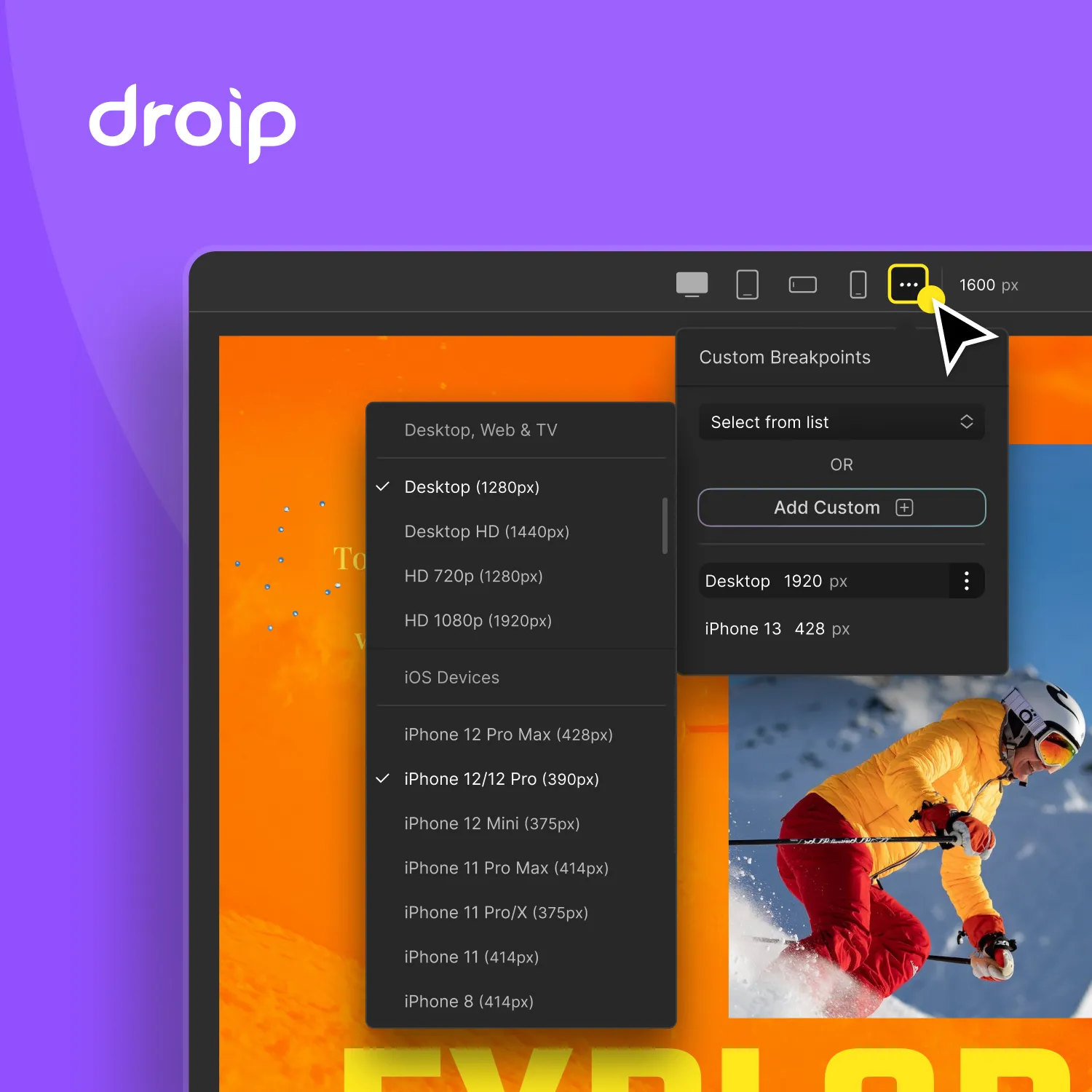
Building a modern website today requires more than just a pretty interface. You need speed, flexibility, powerful customization, advanced animation controls, and—most importantly—a builder that doesn’t limit your creativity. After building countless WordPress projects over the years and trying nearly every major page builder (Elementor, Divi, Bricks, Gutenberg, Oxygen), I eventually found something refreshingly different: Droip WordPress Page Builder.
Droip is relatively new compared to giants in the industry, but its approach is fresh, scalable, and shockingly powerful. When building TryIcona.com, I needed a platform that could handle advanced layouts, smooth interactions, and pixel-perfect flexibility without drowning the site in heavy scripts. Droip delivered exactly that.
If you’re a WordPress user looking for a next-gen design tool—or if you’re simply curious why more developers are switching to Droip—this in-depth guide will walk you through everything.
What Makes Droip Different from Traditional Page Builders?
Most page builders follow the same formula: drag-and-drop widgets, preset modules, and limited styling adjustments. That works fine for simple sites, but if you’ve ever tried to build something unique or fully customized, you’ve probably run into walls.
Droip takes a fundamentally different approach:
1. A True Visual Builder With Full Design Freedom
Droip behaves like a professional design canvas rather than a typical WordPress widget builder. Instead of choosing from predefined blocks, you can freely:
- Position elements anywhere
- Adjust spacing precisely
- Create custom layouts
- Layer elements like in Figma
- Apply CSS-level controls visually
- Customize at breakpoints for full responsiveness
There’s no “boxed-in” feeling. Everything is editable.
2. Interaction & Animation Systems That Feel Like Webflow
This is arguably Droip’s standout feature.
You can create:
- On-scroll animations
- Hover interactions
- Parallax effects
- Entrance and exit transitions
- Mouse movement animations
- Timeline-based, multi-step animations
…all without coding.
For TryIcona.com, this made it incredibly easy to display product demos, animate elements on scroll, and improve user engagement without bloating the site with multiple JS libraries.
3. Lightweight Code Output
Many page builders generate messy HTML, unnecessary wrappers, or heavy scripts. Droip emphasizes clean code:
- Minimal DOM structure
- Efficient CSS
- Optimized JS
- Faster loading pages
This is especially important now that Core Web Vitals determine search rankings and user experience.
4. Built for Power Users AND Beginners
Beginners get drag-and-drop simplicity.
Developers get full control via:
- CSS
- Flexbox & Grid
- Asset management
- Responsive breakpoints
- Custom attributes
- JavaScript integration
- Accessibility tools
It’s rare to find a builder that satisfies both groups equally.
Why I Used Droip to Build TryIcona.com
When creating the homepage, landing pages, documentation, and product showcase for TryIcona, I evaluated all the usual options. What I needed was:
- A professional look with smooth micro-interactions
- Fast load times for SEO and conversions
- Absolute layout control
- A builder that respects responsive design
- Zero-code animations
- Easy embedding of app demos, images, and videos
- Stability on all devices
Droip checked all boxes.
Here’s how it directly impacted different sections of the website:
1. Homepage Hero Section
The hero area on TryIcona needed:
- A dynamic background
- Overlapping elements
- Animation on scroll
- Responsive behavior on all screens
Droip’s layering and interaction features allowed me to build this quickly without writing a single line of JavaScript.
2. Product Demonstrations & Visuals
TryIcona is a virtual try-on app, meaning visuals matter. Droip made it easy to:
- Add smooth fade-in animations
- Highlight before/after transitions
- Create custom hover states
- Present GIF or video demos attractively
Everything looks modern and lively.
3. Conversion-Focused Sections
With Droip, I built:
- Call-to-action sections
- Trust badges
- Feature blocks
- Scroll-triggered animations
- Testimonials
The builder’s granular spacing and typography control made every section feel polished.
4. Mobile Experience
Droip offers per-breakpoint editing, which allowed me to create a perfectly responsive layout. I never felt limited by device constraints.
5. Performance & SEO
Because Droip outputs efficient code, the site remains fast—even with interactions and media-heavy sections. For an app-focused site like TryIcona, this is crucial for conversions.
Top Features of Droip That Developers Love
1. Flexbox & Grid Editing
You can visually manipulate complex layouts without touching CSS. Droip lets you:
- Switch between Flexbox and Grid layouts
- Adjust column/row sizes
- Align items precisely
- Create responsive versions for tablet & mobile
This level of control is extremely useful for creating modern, balanced page designs.
2. Advanced Visual Interactions
Droip’s interaction builder rivals tools like Webflow. You can define animations triggered by:
- Scroll
- Mouse movement
- Hover
- Click
- Page load
- Element visibility
Each animation can have its own duration, delay, easing, and sequence.
3. No More “Widget-Only” Limitations
Instead of being locked into:
- pre-built blocks
- rigid templates
- shortcode-based content
Droip lets you build freely, combining elements organically.
4. Reusable Components
If you create:
- buttons
- pricing cards
- CTA sections
- feature sections
- headers or footers
…you can save them, reuse them, and edit globally.
5. Template & Block Library
Droip includes beautifully designed templates for:
- landing pages
- SaaS websites
- ecommerce pages
- agency portfolios
- blogs
- contact pages
These templates are built with modern 2025 design trends in mind—clean, geometric, minimal, and conversion-driven.
6. Responsive Design Tools
Droip allows you to:
- Adjust spacing per device
- Change typography for different screen sizes
- Resize images
- Hide/show elements
- Use mobile-first or desktop-first strategies
Many builders claim “responsive editing,” but Droip actually delivers a powerful, intuitive version.
7. Clean Code & High Performance
This is a big reason developers are switching from heavier builders:
- Minimal CSS
- No unnecessary wrappers
- Fewer JavaScript dependencies
- Optimized animations
Better performance = better SEO and better conversions.
8. Developer Mode Features
For those who want deeper control, Droip offers:
- Custom HTML blocks
- Custom CSS
- Custom JavaScript
- Element attributes
- Data attributes
- Integration-ready components
It’s extremely flexible under the hood.
How Droip Improves User Engagement Through Interactions
Interactions are no longer “nice-to-have.” They’re part of modern UX.
- Scroll animations improve storytelling.
- Micro-interactions enhance button clicks.
- Fade-in effects boost readability.
- Parallax gives depth.
- Hover states improve product visualization.
- Movement triggers make designs feel alive.
Droip makes all this accessible without any coding.
For example, on TryIcona.com:
- Images animate gently as you scroll.
- Headings rise into view.
- Icons brighten on hover.
- Sections slide into place with subtle timing.
These small touches add up to a premium experience.
Who Should Use Droip? (And When Not To)
Recommended for:
- Designers who want freedom like Figma/Webflow
- Developers who need cleaner code output
- Agencies building conversion-focused websites
- SaaS landing pages
- Ecommerce brands
- Portfolio websites
- Animation-heavy webpages
- Businesses wanting premium and modern design
Not the best fit if:
- You want a builder with thousands of pre-made widgets
- You prefer extremely rigid templates
- You rely heavily on third-party integrations through builder plugins
Droip is more of a creative canvas than a widget marketplace—this is why it’s perfect for custom brands like TryIcona.
Droip vs. Other Popular Page Builders
Here’s a quick comparison:
| Feature | Droip | Elementor | Divi | Bricks | Oxygen |
|---|---|---|---|---|---|
| Clean Code Output | Yes | Moderate | Heavy | Good | Good |
| Animation Controls | Excellent | Basic | Good | Limited | Advanced (code-heavy) |
| Flexbox & Grid | Visual & Advanced | Limited | Basic | Good | Good |
| Canvas-style Editing | Yes | No | No | No | No |
| Learning Curve | Medium | Easy | Easy | Medium | High |
| Performance | High | Medium | Medium | High | High |
| Designer Freedom | Excellent | Good | Good | Good | Medium |
Droip is closest to Webflow in terms of design freedom—but inside WordPress.
Tips for Building a Professional Website with Droip
Based on building TryIcona, here are some practical lessons:
1. Use Global Colors and Styles
Set brand colors, fonts, and spacing globally before designing pages.
2. Build Reusable Sections
Things like CTAs, pricing sections, FAQs, or footers should be saved for reuse.
3. Keep Animations Subtle
Too much movement becomes distracting—aim for smooth, gentle transitions.
4. Optimize Media Files
Use WebP images and compressed videos to keep pages light.
5. Structure Layouts with Flexbox/Grid
This keeps everything responsive and clean.
6. Test on Multiple Devices
Droip’s responsive preview tool helps ensure pixel-perfect layouts.
Final Thoughts: Droip is the Future of WordPress Page Building
Droip brings a refreshing, innovative approach to web design inside WordPress. For creators, entrepreneurs, and developers who care about:
- design freedom
- performance
- interactions
- custom layouts
- modern animation capabilities
…it offers something genuinely powerful. When building TryIcona.com, Droip gave me the control I wanted without any of the typical limitations of traditional page builders.
If your brand deserves a premium, modern, interactive website—Droip is absolutely worth the investment.